Overview
DeepWater Desktop is the companion software for the SVC Pro. It receives data from the SVC Pro and attached hardware to produce 3D visuals such as: rectified images, disparity maps, and point clouds.Getting Started with DeepWater Desktop
Open DeepWater Desktop
Open the 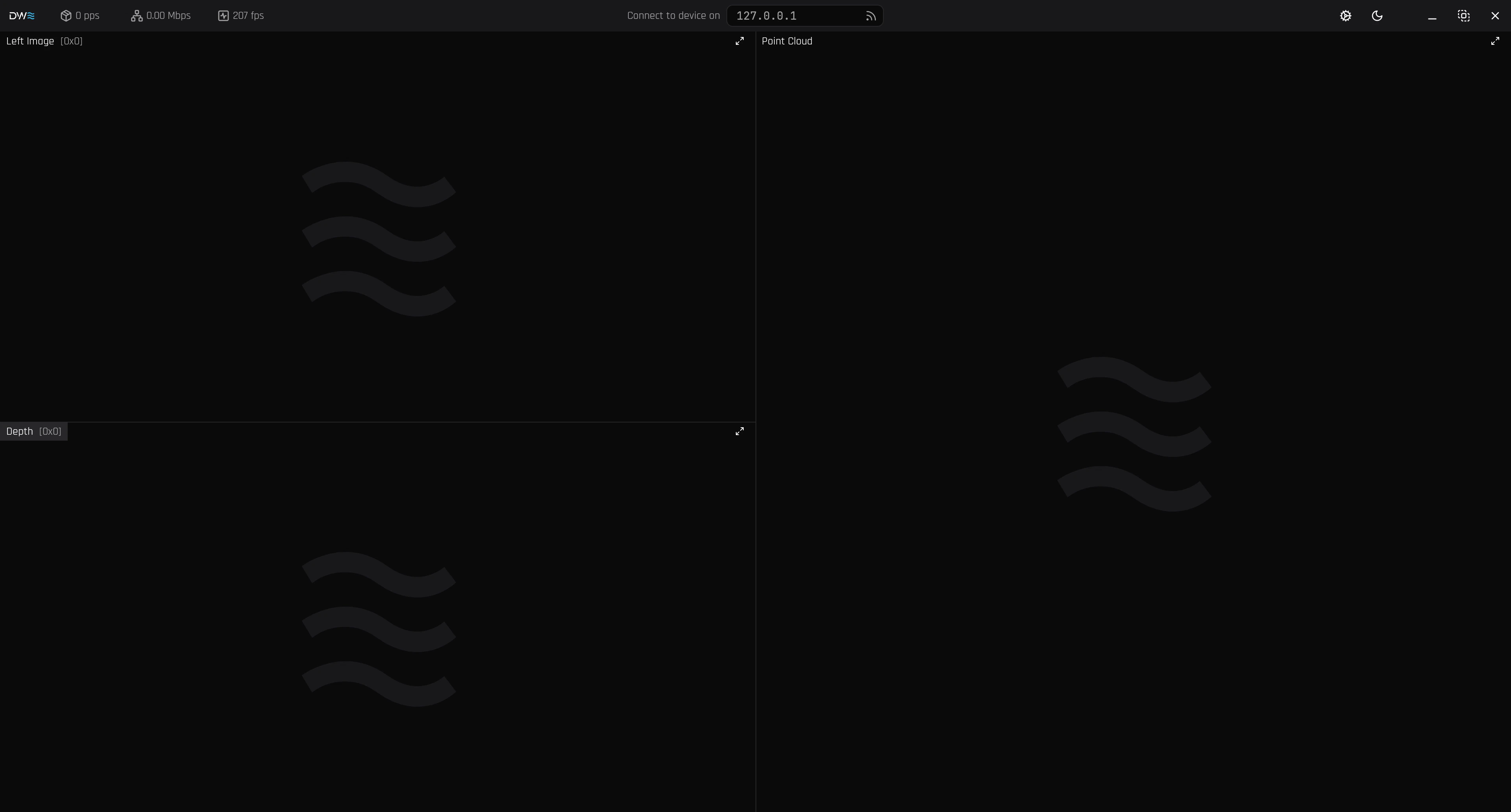
DeepWaterDesktop.AppImage on your compatible Linux device. If you don’t have one, please contact our support team at support@dwe.ai.Connect to the SVC Pro

192.168.2.2 is the default IP Address. If you changed it, make sure you input the correct address of your SVC Pro. Refer to the SVC Pro - Getting Started Guide.
Configure the Stream
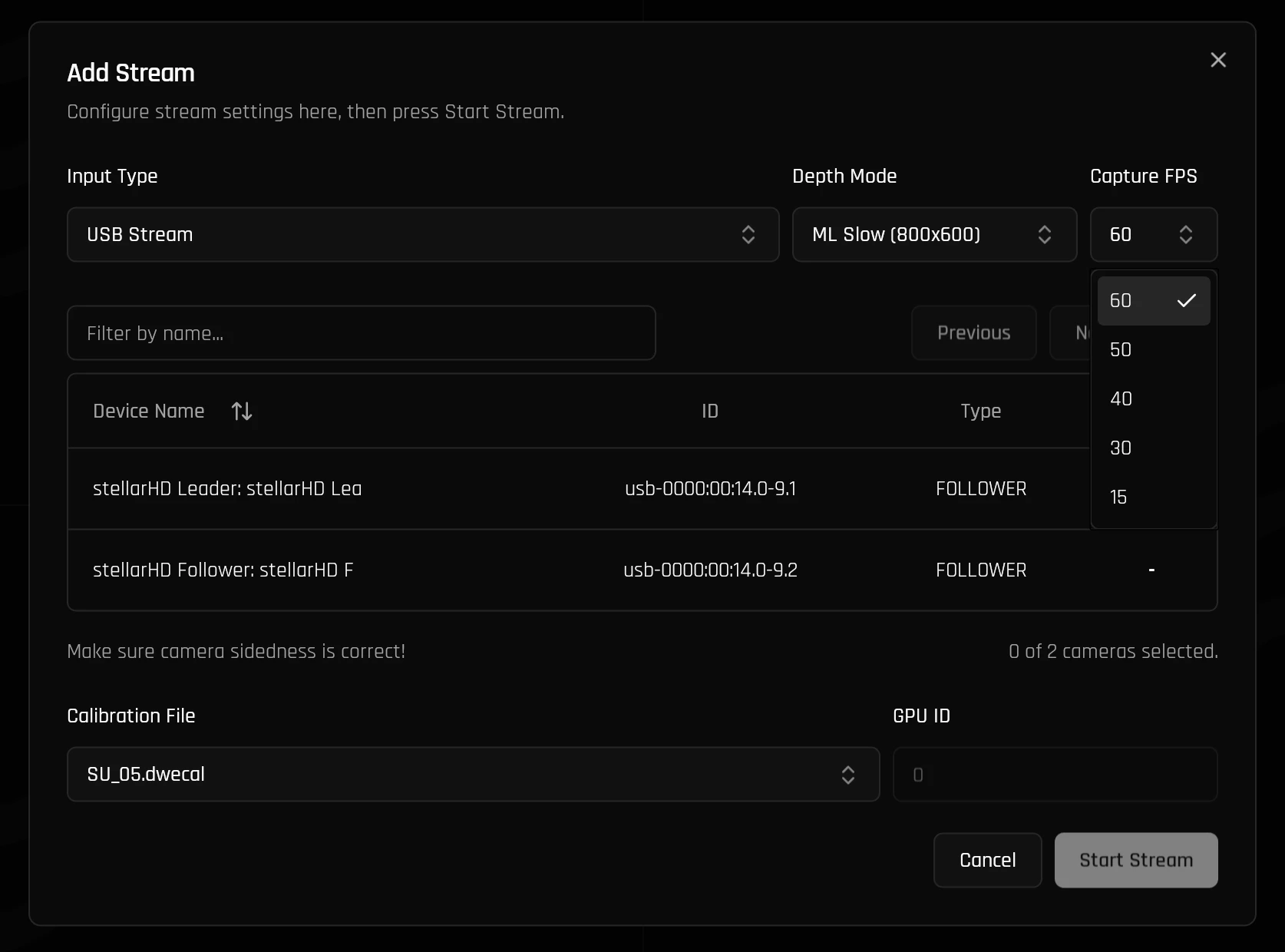
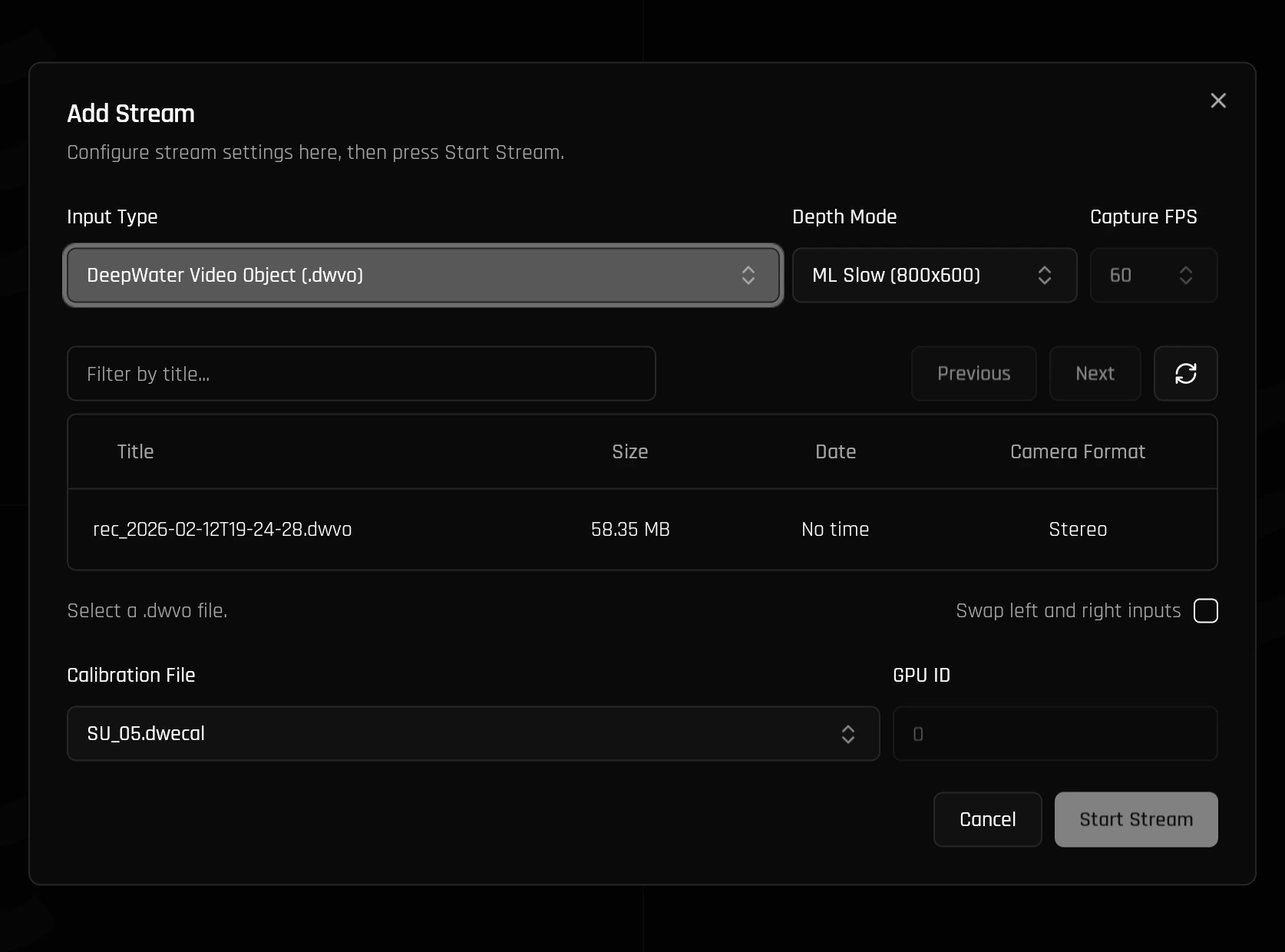
After adding a stream, the stream configuration stream should pop up on screen. Depending on your requirements, you may want to configure the stream differently.Generally, you can consult the following tables:
Next, you can select the calibration file. By default, it will have the correct calibration selected. If you have any custom calibration files, they will also appear here.
| Depth Mode | Resolution | Description |
|---|---|---|
| ML Slow | 800 x 600 | Flagship ML model designed for highly accurate live instantaneous measurements. |
| ML Medium | 600 x 450 | Designed for moderately accurate measurements while improving FPS. |
| ML Fast | 400 x 300 | Designed for more limited systems or for high FPS requirements. |
| SGM | 800 x 600 | Traditional computer vision algorithm that does not use machine learning or AI. Ideal for SLAM applications. |
| Input Type | Description |
|---|---|
| USB | Select your attached explore3D or other compatible hardware for live processing. |
| DWVO File | 1:1 Recordings of the original hardware feed. Playback simply reruns the image sequences through the processing algorithm to allow playback. |
- USB
- DWVO
Please select the left camera (typically the Leader if in Leader-Follower mode), followed by the right camera.
For modularity, the cameras do not store their positional data, so you will need to configure the sides manually.