

1
Identify Leader Camera
Navigate to the main page of dweOS Pro and identify the 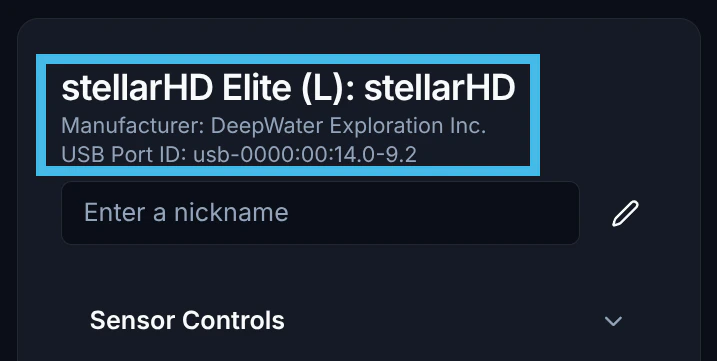
Leader Camera — listed with an (L) — from the list of cameras.If you are in follower-follower mode (both cameras are followers), choose the left-most camera in your system as the leader.
2
Identify Follower Camera
Identify the 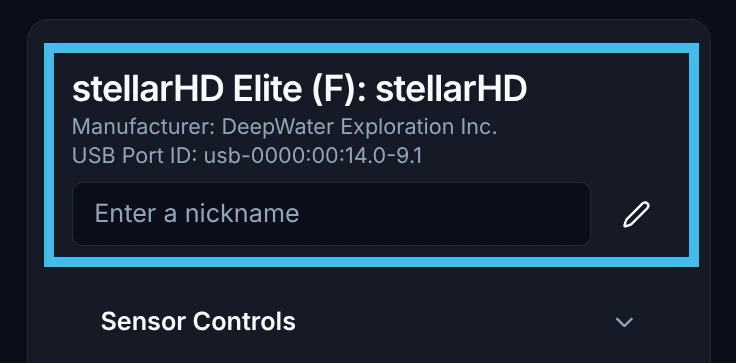
Follower Camera — listed with an (F) — from the list of cameras. Keep a note of the USB Port ID.Make sure to stop all video streams for the follower device. This might cause conflicts later.
3
Navigate back to the Leader Camera (L)
In the menu for your Leader Camera, navigate down to the lower portion of the menu labeled 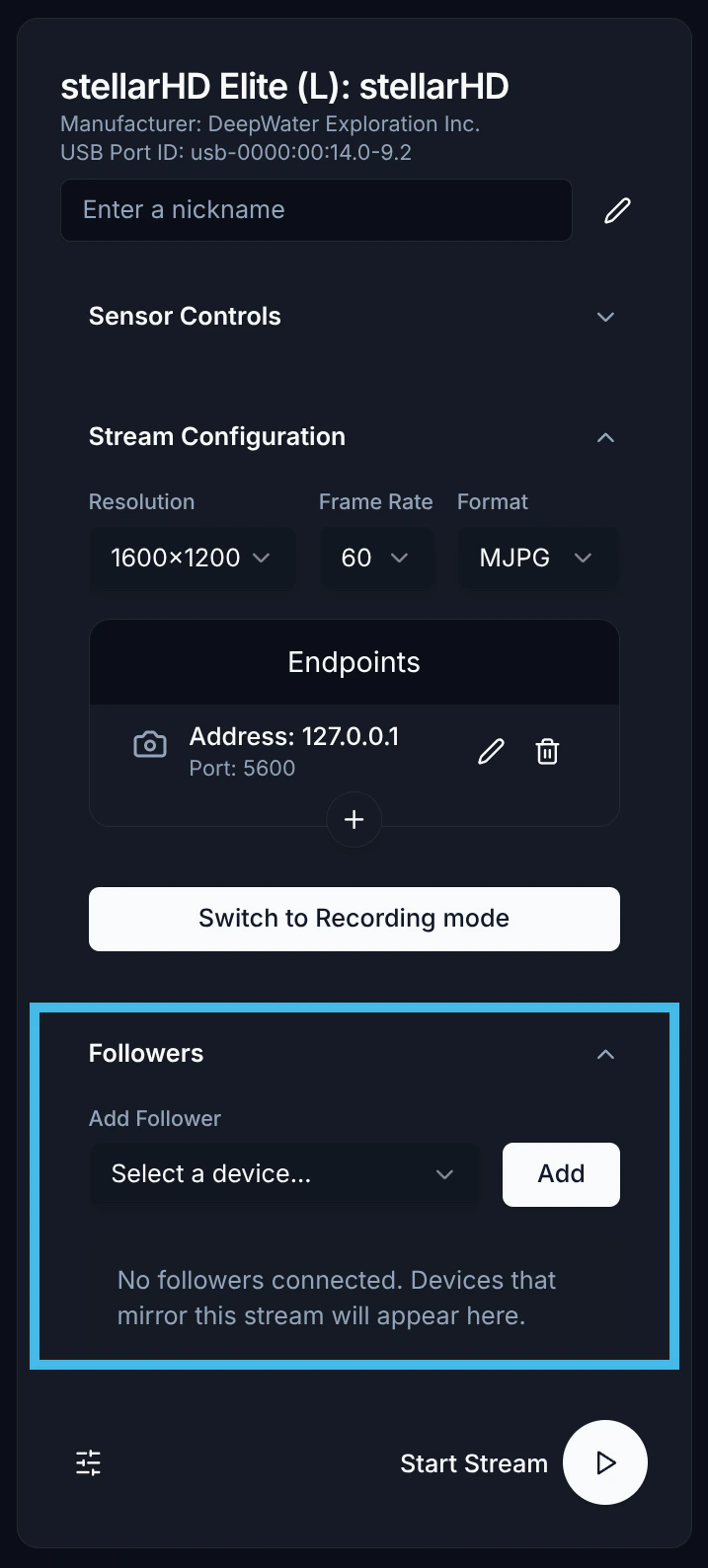
Followers.4
Select and add a follower device
Select the correct follower device from the dropdown list, then click the 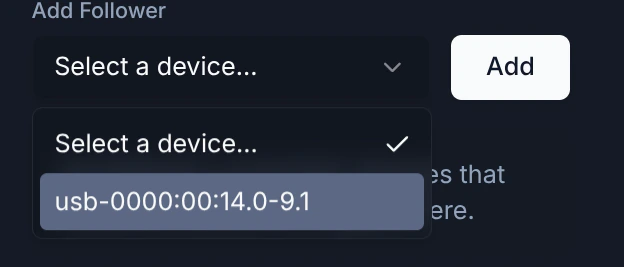
Add button.5
Configure the stream
Set your desired resolution and ensure you add the correct endpoint.For synchronized streaming only one endpoint is supported at the moment.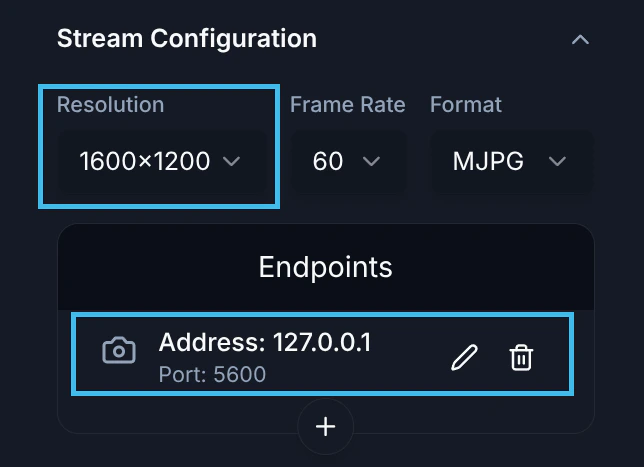
6
Begin the video stream
After configuring the stream, you can select the play button to begin streaming to your specified endpoint.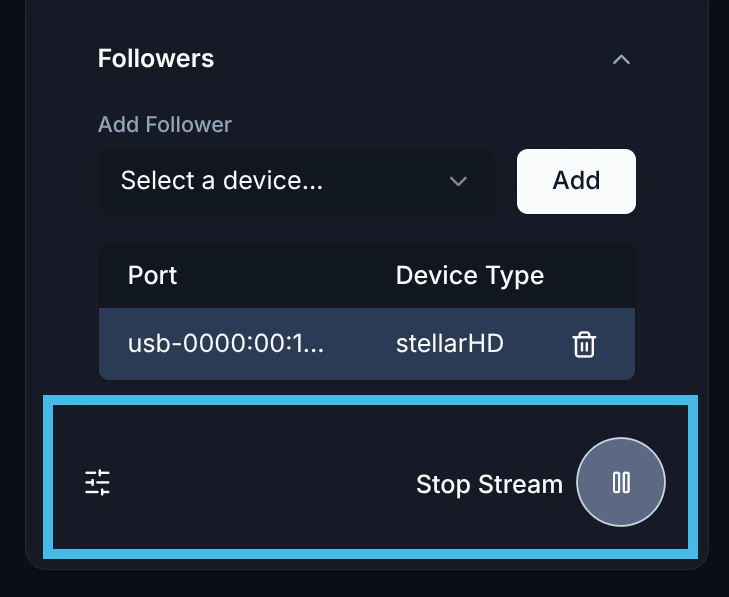
7
Full Setup
This is what the full setup should look like.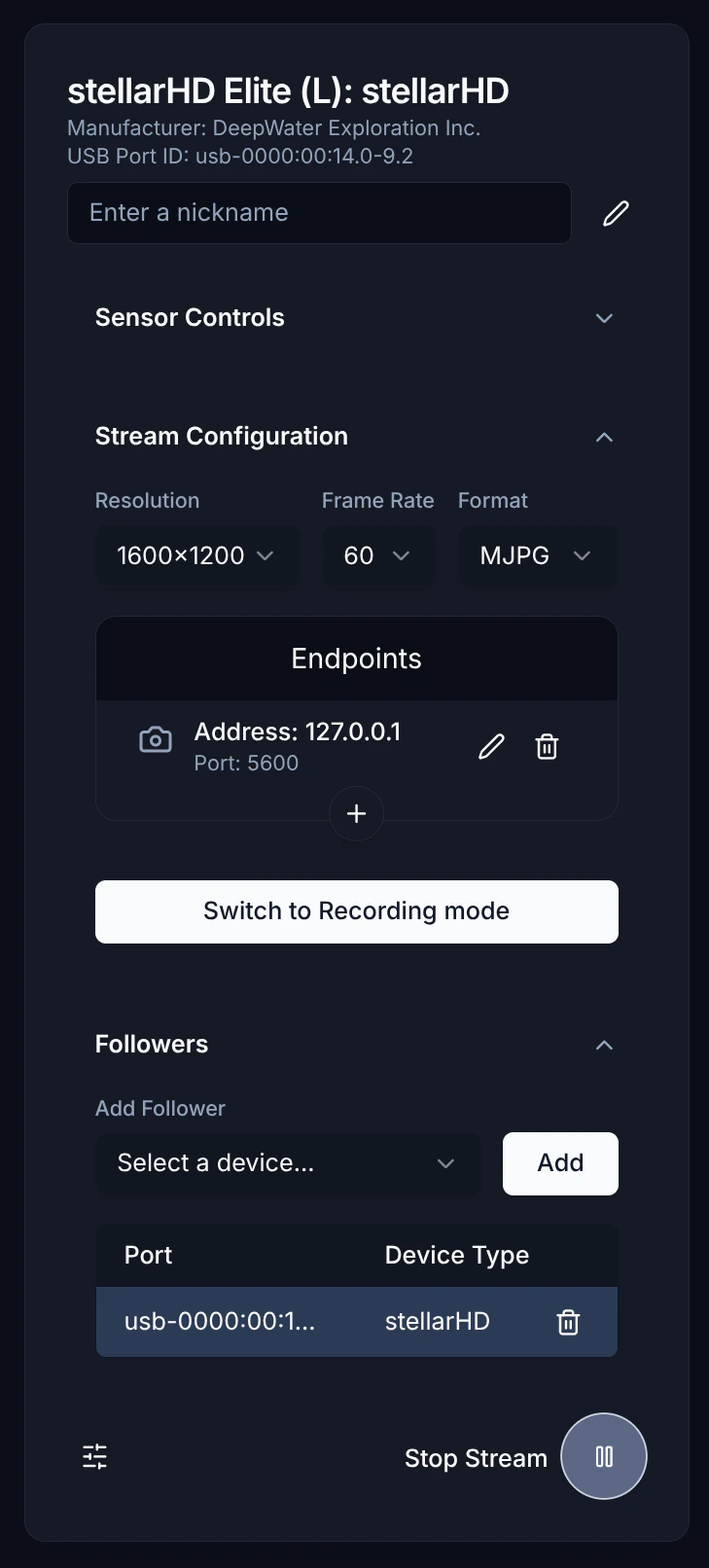
8
View Stream
You can use Discovery for viewing synchronized streams.

Intro to Discovery
Click here to learn how to use Discovery for Desktop.