

Ensure you are directly connecting your vehicle/system to an ethernet port on your
laptop/PC.
Configure Device Ethernet
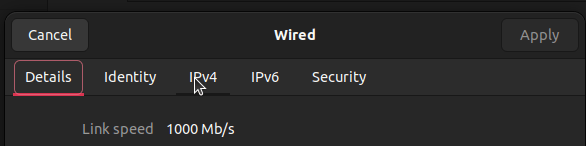
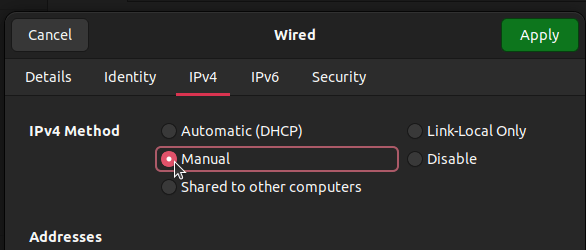
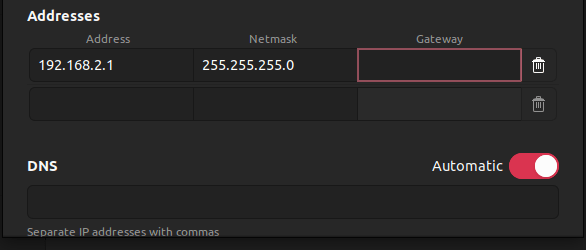
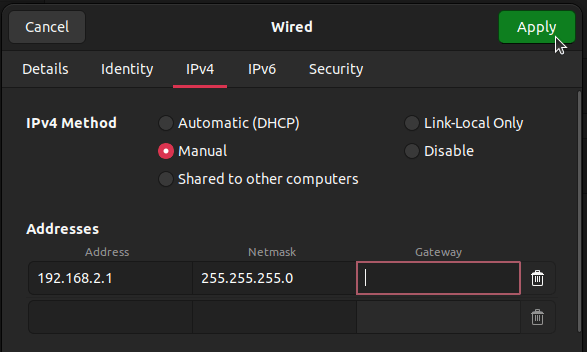
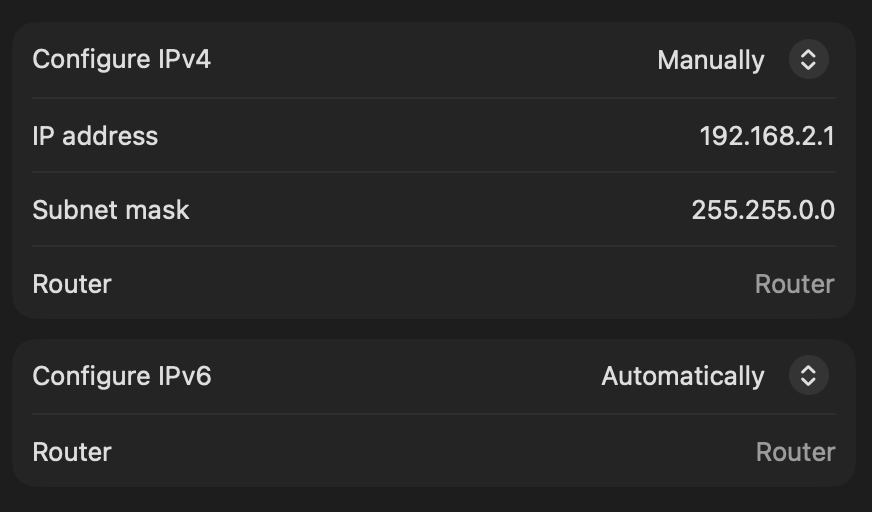
This step is necessary to set the IP of your device in the local network provided by the SVC over ethernet.- Windows
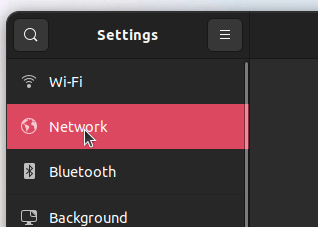
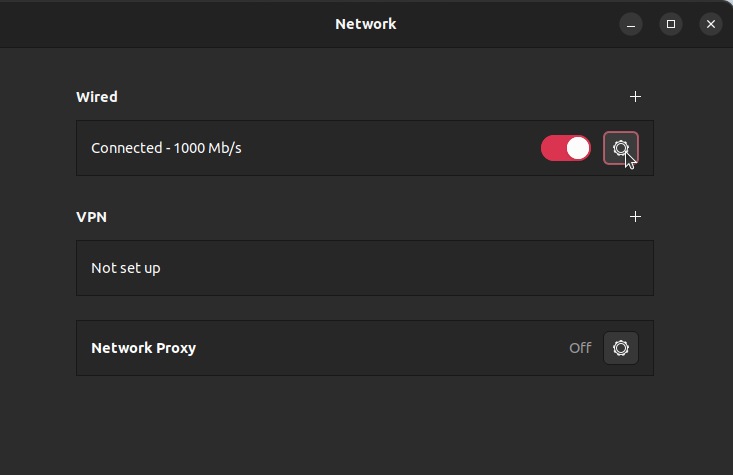
- Linux
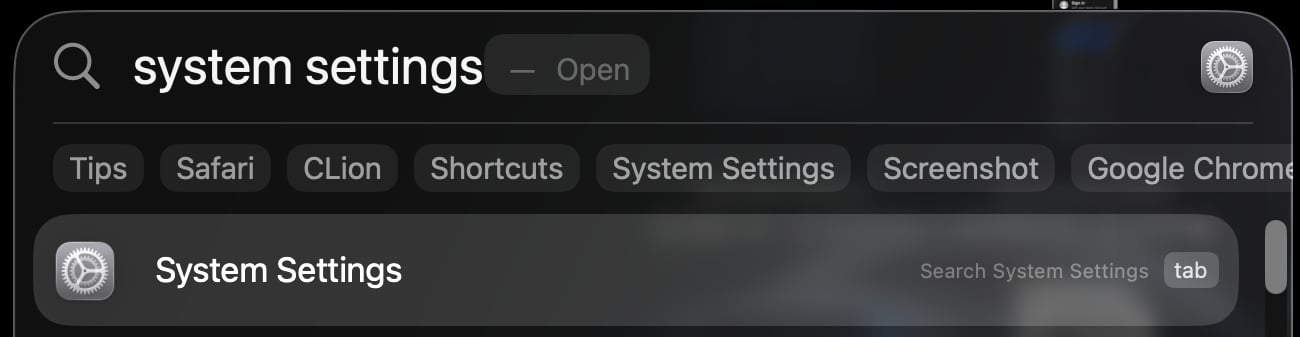
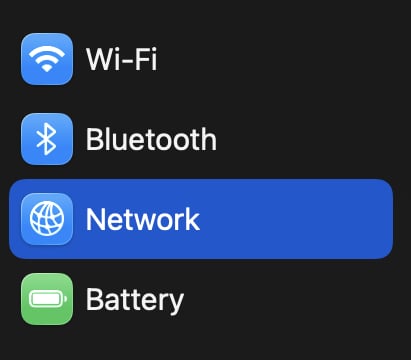
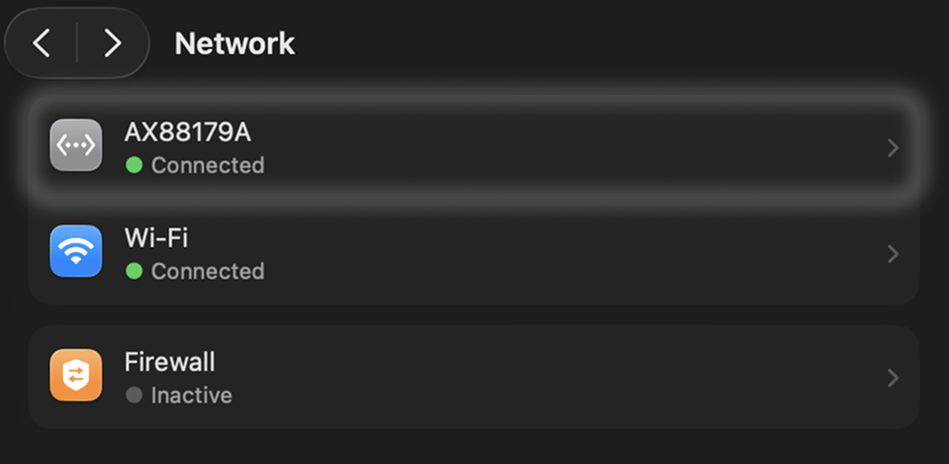
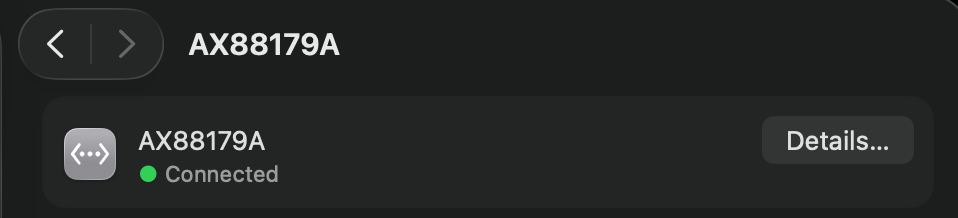
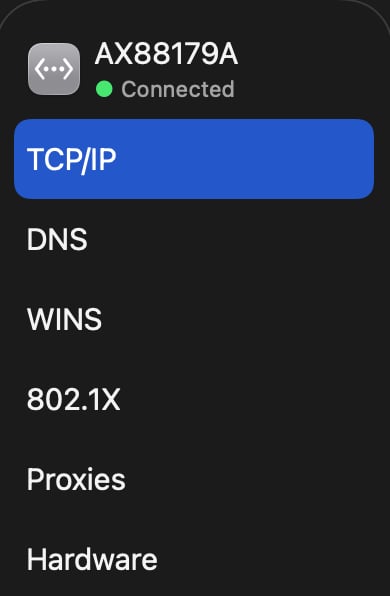
- macOS
1
Under Settings/Network & Ethernet, select Ethernet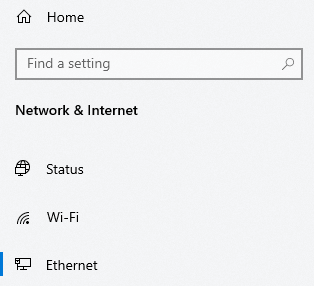
2
Under Related Settings on the right, select 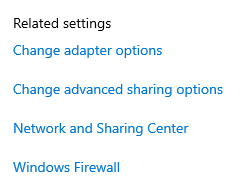
Change Adapter Options3
Find the adapter named 
Ethernet with the subtitle of Unidentified Network4
Right-click the adapter and select 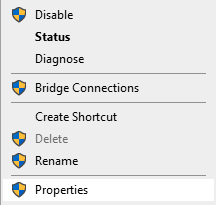
Properties5
Locate 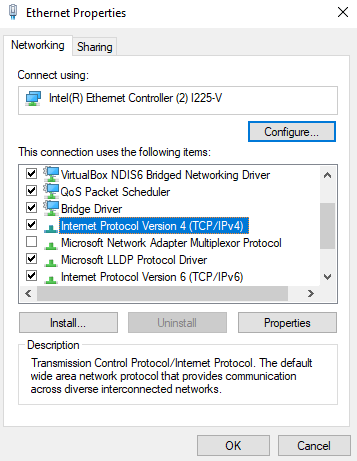
Internet Protocol Version 4 (TCP/IPv4) and select Properties6
Edit the menu to look like the following: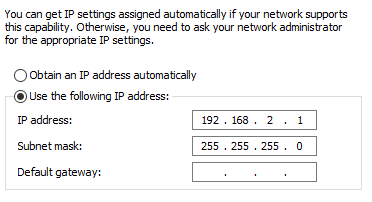
7
Click
OK to apply changes. This should now allow your Pi to identify your Windows device under the correct ip address to stream data to.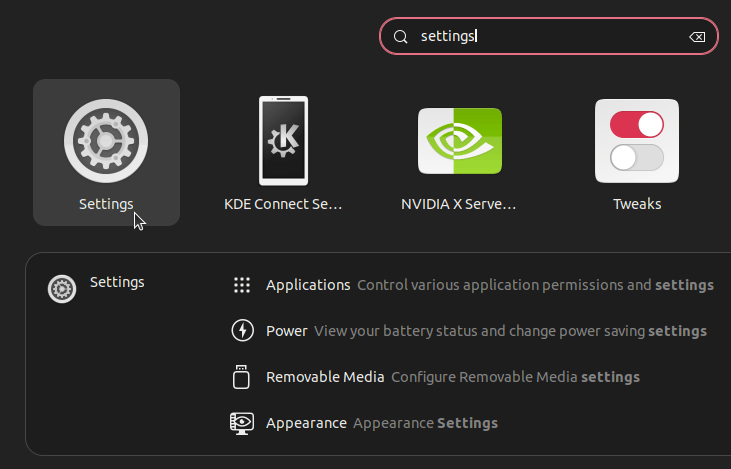
Return to the previous page
This button will take you back to the page you were on previously!