

Install dweOS
Install dweOS via Command-Line
If you haven’t install dweOS, install it on your existing Linux system or Raspberry Pi.
Connection Methods
1. Local Access
If you are sitting at the same machine where dweOS was installed, you can reach the home page using the local loopback address.- URL:
http://localhost - Port: 80 (Default)
2. Remote Access (Network)
If dweOS is installed on a separate device (like a server, Raspberry Pi, or a dedicated workstation) on your local network, you will need that device’s IP address.- Find the IP address of the host machine (e.g., run
hostname -Iorifconfigon Linux). - Enter the IP into your browser’s address bar.
Success
Once you reach the home page of dweOS, you can move on to streaming video from your cameras!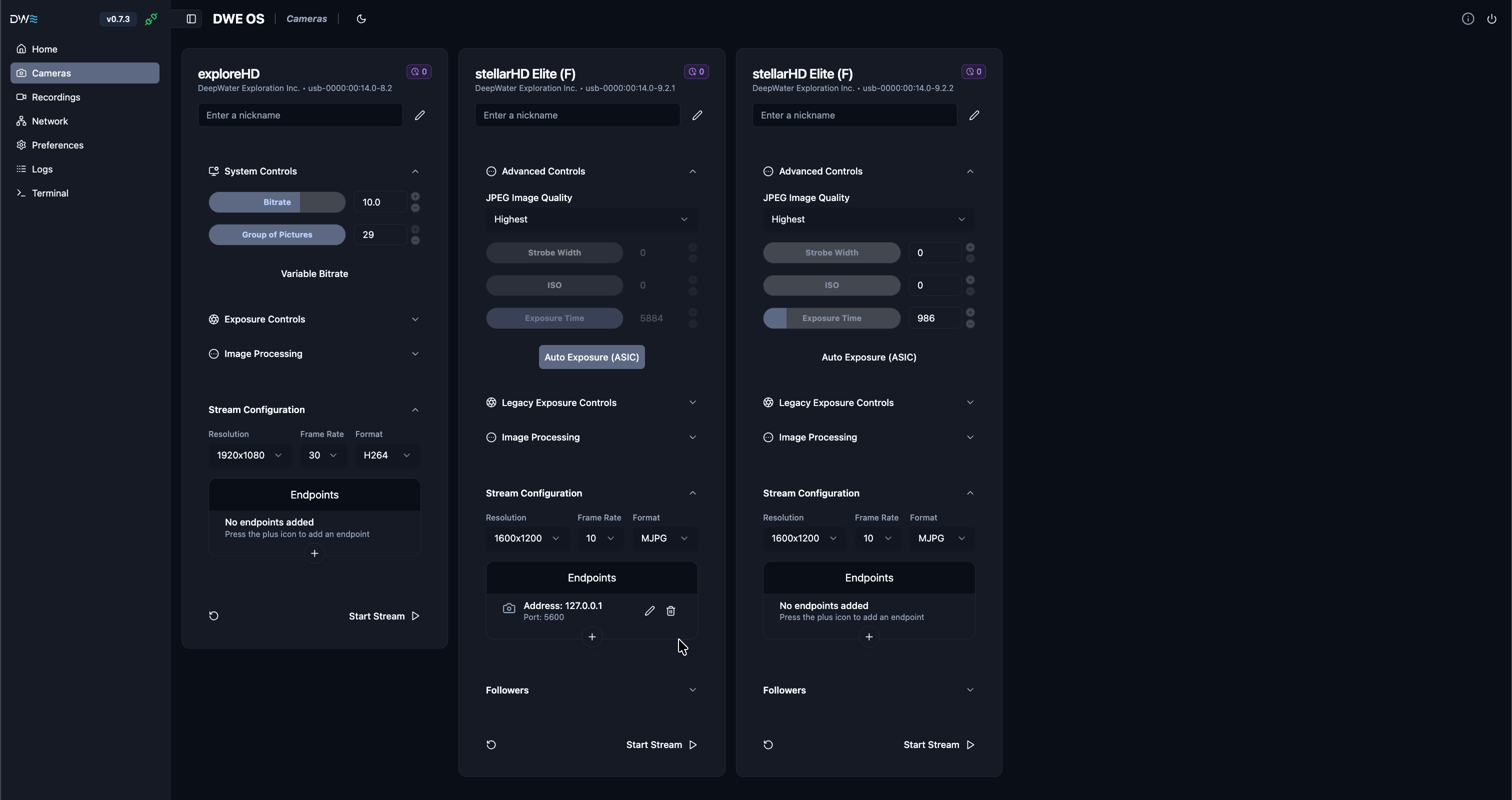
The main camera streaming page for dweOS
Troubleshooting
Ask an assistant
Copy paste this prompt to provide context to your preferred AI assistant.

Google Gemini
Chat with Google Gemini.

Claude
Chat with Claude.
ChatGPT
Chat with ChatGPT.
Frequently missed
If the page fails to load, please check the following:Check Service Status
Check Service Status
Ensure the dweOS process is actually running in your terminal. Look for a “Server started” or “Listening on port 80” message in your logs.
Firewall Settings
Firewall Settings
If accessing remotely, ensure your system’s firewall allows incoming traffic on Port 80.
Port Conflicts
Port Conflicts
Make sure no other web server (like Apache or Nginx) is already using Port 80 on that device.