This feature was added in v1.2.0. If your version of DeepWater Desktop does not have an integrated image controls section, please update your software.

Image Controls In DeepWater Desktop

Strobe width is the same as the strobe brightness parameter mentioned in other parts of the docs.
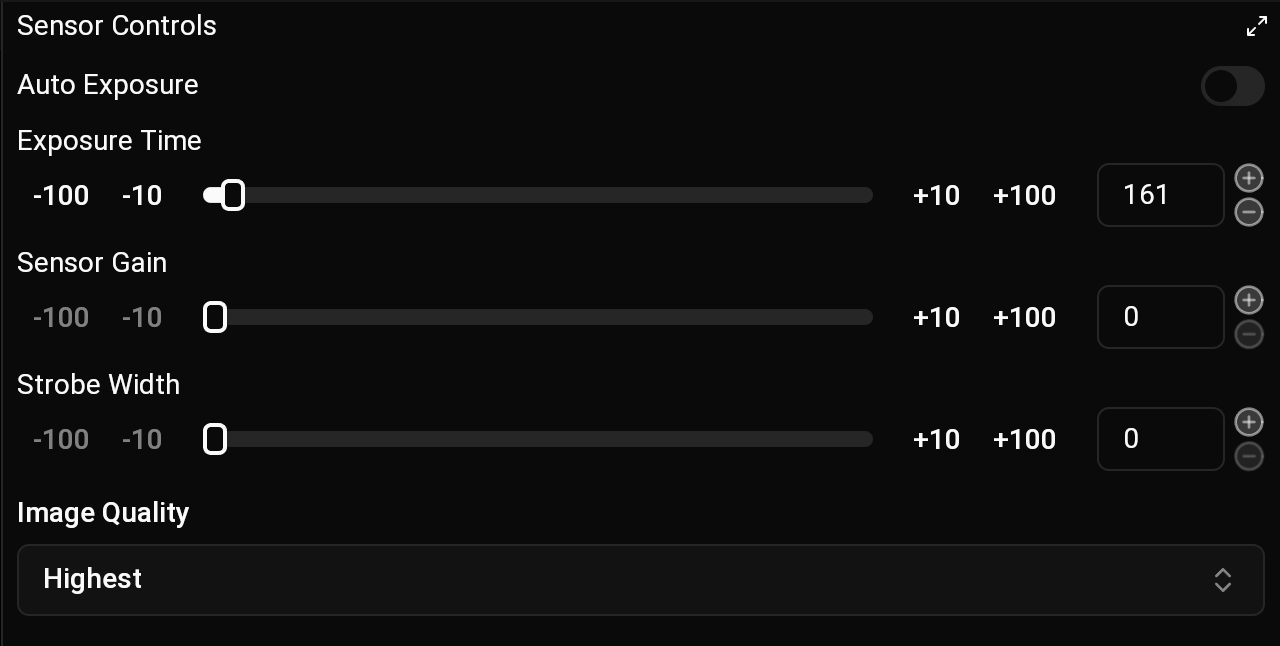
Image Controls Tab
Please read the aquaLUX MAX Operations Guide for important safety information before adjusting the strobe width parameter.

Bitrate

Bitrate Quality

Set image quality to 'Highest'

Manual Exposure & Strobe

In order to use strobe, manual exposure, and sensor gain, auto exposure must be disabled. For the cleanest, sharpest 3D models, keep your sensor gain as low as possible to reduce noise, and keep your exposure time low to prevent motion blur. Strobe lights are highly recommended to help you achieve this in deep water. In pitch-black water, your exposure time is essentially dictated by your strobe. Lock your exposure time to a fixed, low value, and simply adjust the strobe brightness to get the lighting you need.