Stick to the default parameters for the best out-of-the-box experience. Manual tuning is entirely optional and reserved for advanced performance optimization.

Tracking Parameters

VSLAM tracking performance can be optimized for your environment by adjusting the following parameters.
VSLAM Tracking Settings
ParameterWhat it does
High ThresholdControls how lenient the stereo-matching algorithm is. Lower is more lenient, higher is more accurate.
Feature CountMaximum allowed number of features in a single frame. Higher feature count increases the chance of loop closures/map merges happening at the cost of performance.
Initial FAST ThresholdInitial FAST threshold used for feature detection. Lower threshold increases detected features, but increases likelihood of incorrect feature matches across frames.
Min FAST ThresholdFallback FAST threshold used if the initial threshold did not find enough features.

Filter Parameters

A voxel filter is used to ensure uniform point distribution in the resulting point cloud. The following filter settings can be configured.
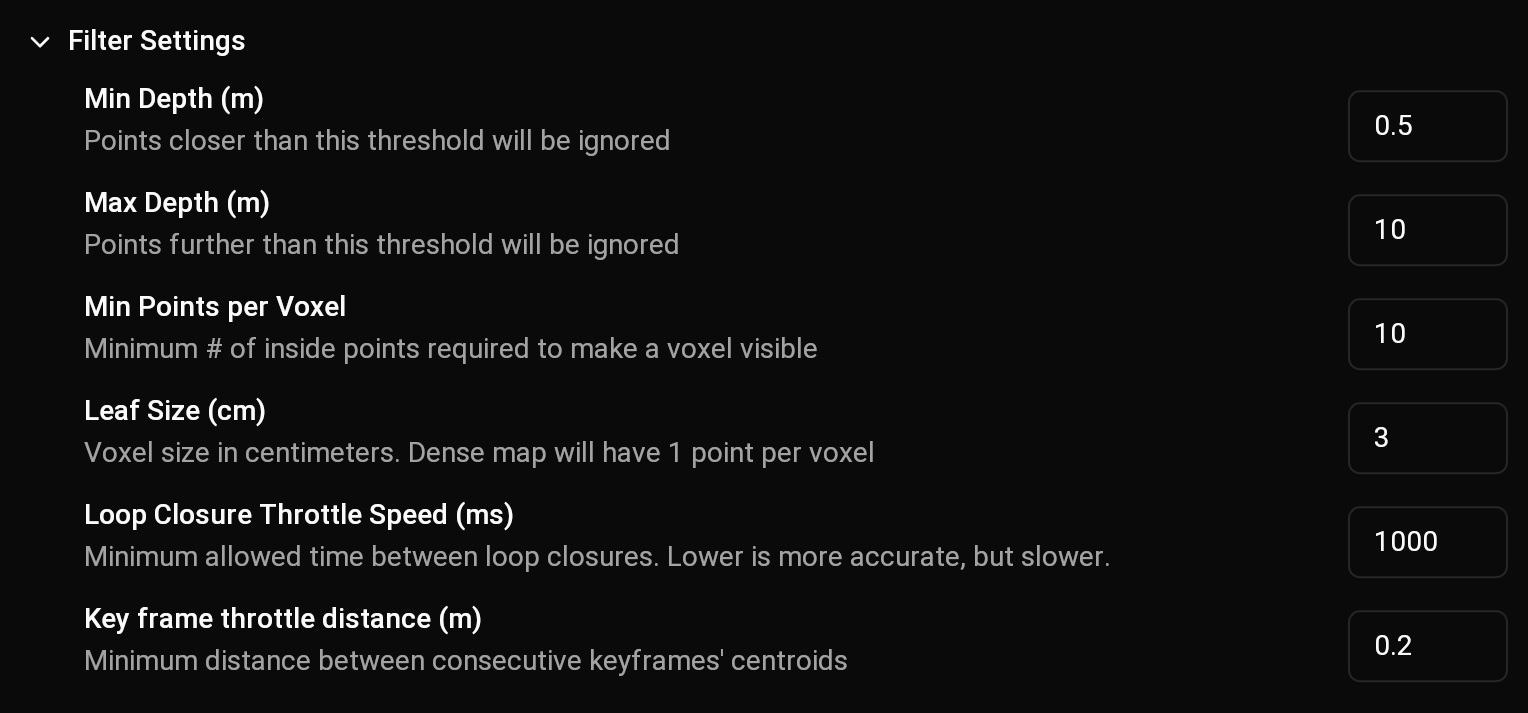
VSLAM Filter Settings
ParameterWhat it does
Min Points per VoxelMinimum number of points required within a single voxel to produce a visible point in the output cloud
Min Depth (m)Points closer than this threshold will be ignored.
Max Depth (m)Points further than this threshold will be ignored.
Leaf Size (cm)Size in centimeters of a voxel. Lowering this value will increase detail at the cost of memory consumption. Sizes less than 2cm should only be used on small maps.