

Streaming
Not streaming
 Press Start Stream to begin.
Streaming
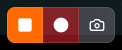
Recording
Start recording
 While the card is streaming and not already recording, press Start Recording.
Stop recording
 While the card is recording, conclude the recording with Stop Recording.
Activity light
The light on the card tab tells you the state at a glance.Idle
 No light — the card isn’t streaming.
Streaming
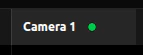 Solid — the card is streaming.
Recording
Slow blinking — the card is recording.