

Showing the widget
Expand
 Click this icon to expand the widget.
Hide
 Click on the number (around the Mb/s) to hide the widget completely.
Graph view
Click the Arrow to the left of the widget to open and close the Graph View, which shows the trend across the last 30 seconds.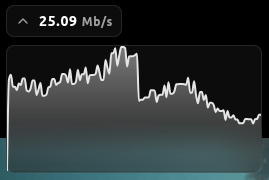
Hovering over the graph shows the exact Mb/s at that moment.