> ## Documentation Index
> Fetch the complete documentation index at: https://docs.dwe.ai/llms.txt
> Use this file to discover all available pages before exploring further.
# Troubleshooting
> Common issues with SVC Pro configuration
# Visual Artifacting
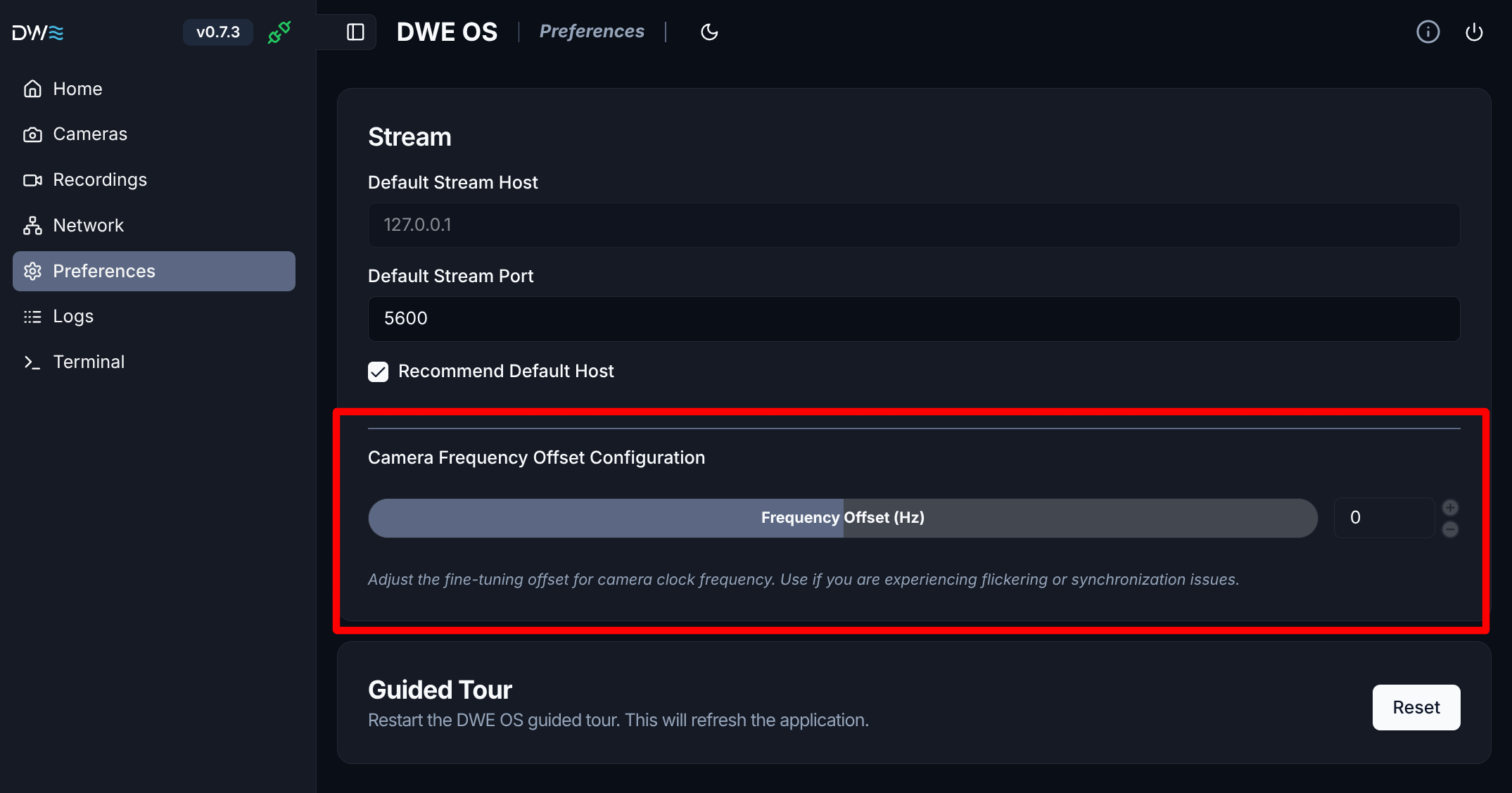
Are you noticing odd frames, overexposure in bright environments, or an auto-exposure that feels sluggish? This is usually caused by an incorrect frequency offset.
To fix this, head over to **Preferences** in dweOS and fine-tune your frequency offset until the image stabilizes. Start with a low change value like `-0.004` and adjust the number until the issue is resolved.
You should not need to exceed ±0.1 Hz.
dweOS can be found at the IP address of your SVC Pro in the browser.