> ## Documentation Index
> Fetch the complete documentation index at: https://docs.dwe.ai/llms.txt
> Use this file to discover all available pages before exploring further.

# 시스템 작업

> 이 가이드는 dweOS를 사용해 컴퓨터의 다양한 측면을 제어하는 방법을 알려드립니다.

<Note>이는 매우 특수한 상황에서만 필요합니다.</Note>

## 페이지 접근

시스템 작업 버튼은 dweOS에서 항상 표시됩니다. 오른쪽 상단에 위치하며, 옵션을 선택할 수 있습니다.
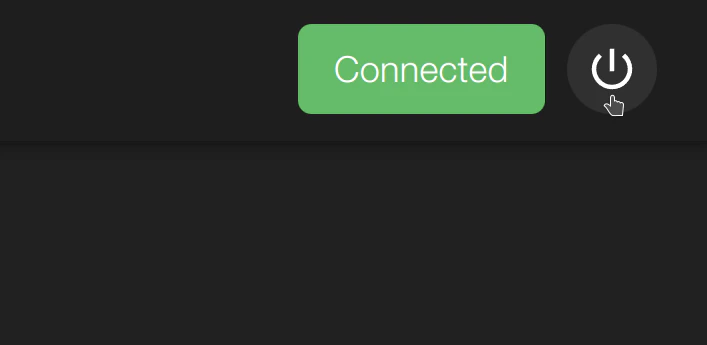
<img src="https://mintcdn.com/deepwaterexplorationinc/NrWVR9Qe6FWmBE6d/dwe-os/pages/images/system-actions.png?fit=max&auto=format&n=NrWVR9Qe6FWmBE6d&q=85&s=4166a703785d819869368f9130daa7bc" alt="시스템 작업" width="707" height="345" data-path="dwe-os/pages/images/system-actions.png" />

## 옵션

시스템 작업 버튼을 사용하면 시스템을 종료하거나 다시 시작할 수 있습니다.
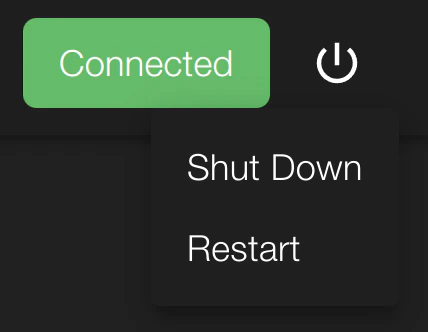
<img src="https://mintcdn.com/deepwaterexplorationinc/NrWVR9Qe6FWmBE6d/dwe-os/pages/images/system-actions-expanded.png?fit=max&auto=format&n=NrWVR9Qe6FWmBE6d&q=85&s=287429f072f61196af2cfbd66a779fe6" alt="시스템 작업" width="428" height="332" data-path="dwe-os/pages/images/system-actions-expanded.png" />

<Tip>
  두 버튼 중 하나를 선택하면 시스템 연결이 즉시 끊어집니다.
</Tip>
