> ## Documentation Index
> Fetch the complete documentation index at: https://docs.dwe.ai/llms.txt
> Use this file to discover all available pages before exploring further.

# 동기화된 스트리밍 가이드

> explore3D의 동기화된 스트리밍을 구성하기 위한 전체 가이드입니다.

<Note>
  현재는 두 대의 카메라 동기화만 지원됩니다.
</Note>

<Steps>
  <Step title="Leader 카메라 식별">
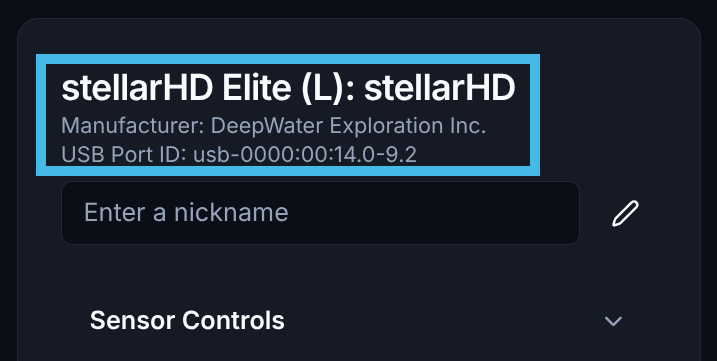
    dweOS의 메인 페이지로 이동하여 카메라 목록에서 `Leader` 카메라 -- `(L)`로 표시됨 -- 를 식별하세요.

    <Note>**follower-follower** 모드(두 카메라 모두 follower)인 경우, 시스템에서 가장 왼쪽에 있는 카메라를 leader로 선택하세요. 이 경우 [외부 동기 신호](/ko/stellarHD/guides/syncing-multiple-cameras)가 구성되어 있는지 확인하세요. **SVC Pro**는 이미 외부 동기가 구성되어 있으며 기본적으로 모든 카메라가 follower일 것으로 예상합니다.</Note>

    <Frame>
      <img width="400px" src="https://mintcdn.com/deepwaterexplorationinc/k1NiyPtDWmPRQW7L/svc-pro/guides/images/dweos-pro-synchronized/leader-camera.png?fit=max&auto=format&n=k1NiyPtDWmPRQW7L&q=85&s=f823a9dca1b06968c5137033408afd79" data-path="svc-pro/guides/images/dweos-pro-synchronized/leader-camera.png" />
    </Frame>
  </Step>

  <Step title="Follower 카메라 식별">
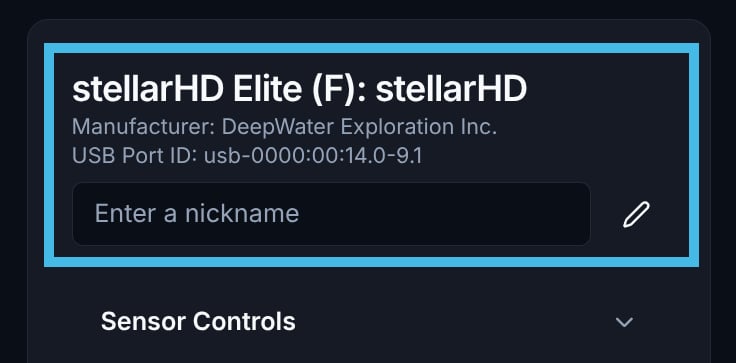
    카메라 목록에서 `Follower` 카메라 -- `(F)`로 표시됨 -- 를 식별하세요. `USB Port ID`를 기록해 두세요.

    <Note>follower 디바이스의 모든 비디오 스트림을 반드시 중지하세요. 이후 충돌이 발생할 수 있습니다.</Note>

    <Frame>
      <img width="400px" src="https://mintcdn.com/deepwaterexplorationinc/k1NiyPtDWmPRQW7L/svc-pro/guides/images/dweos-pro-synchronized/follower-camera.png?fit=max&auto=format&n=k1NiyPtDWmPRQW7L&q=85&s=2355b0f9d0afc919e3bf66b4f78cc3b0" data-path="svc-pro/guides/images/dweos-pro-synchronized/follower-camera.png" />
    </Frame>
  </Step>

  <Step title="Leader 카메라(L)로 다시 이동">
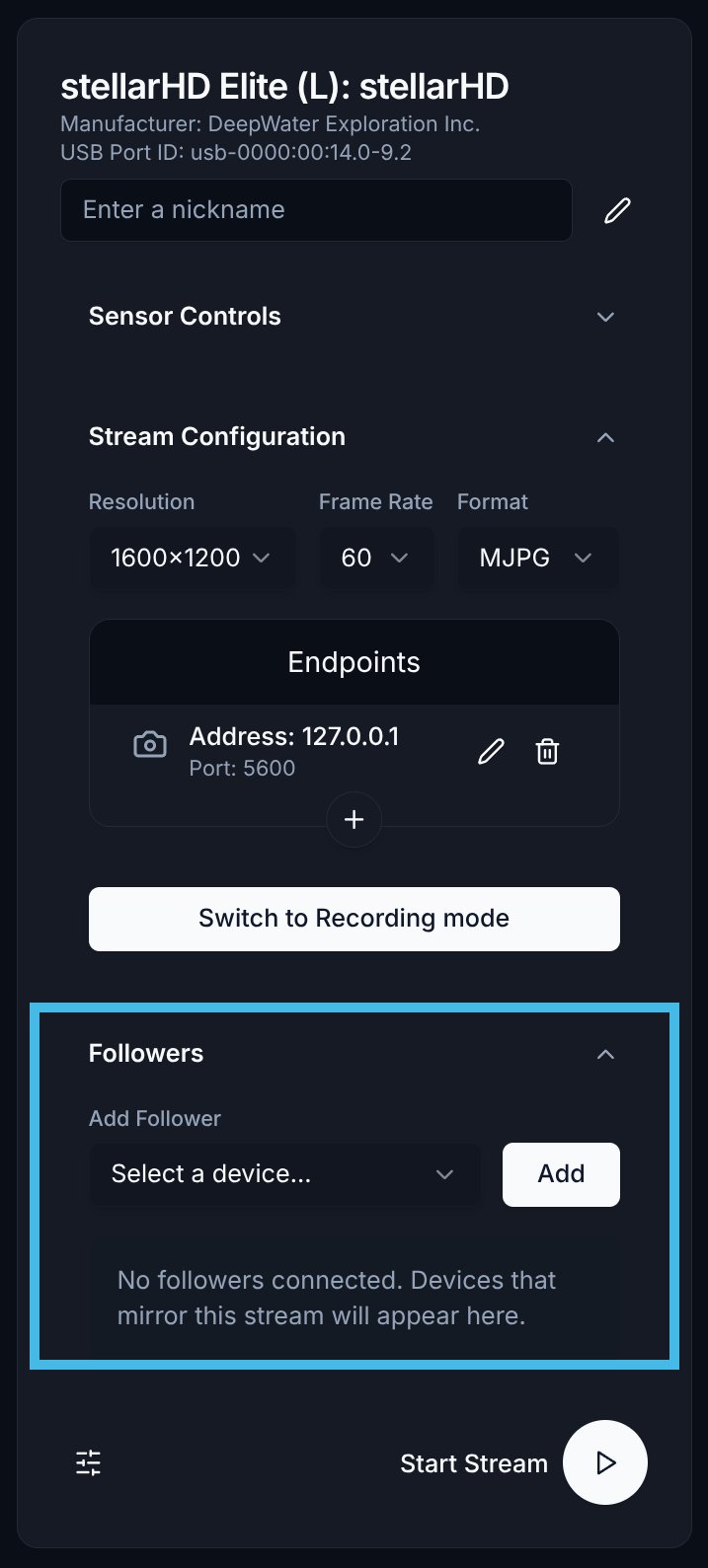
    Leader 카메라의 메뉴에서, `Followers`라는 레이블이 있는 메뉴 하단으로 이동하세요.
    <Frame>
      <img width="150px" src="https://mintcdn.com/deepwaterexplorationinc/k1NiyPtDWmPRQW7L/svc-pro/guides/images/dweos-pro-synchronized/followers-list.png?fit=max&auto=format&n=k1NiyPtDWmPRQW7L&q=85&s=9c9399f384426f14a902ad68f01e5ce0" data-path="svc-pro/guides/images/dweos-pro-synchronized/followers-list.png" />
    </Frame>
  </Step>

  <Step title="follower 디바이스 선택 및 추가">
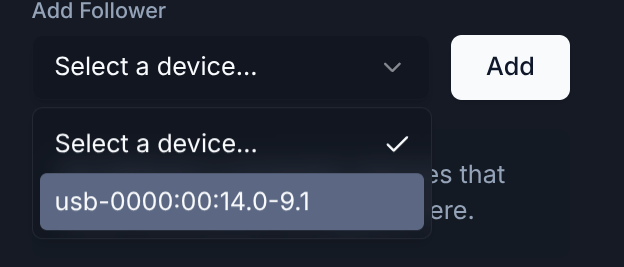
    드롭다운 목록에서 올바른 follower 디바이스를 선택한 다음, `Add` 버튼을 클릭하세요.
    <Frame>
      <img width="400px" src="https://mintcdn.com/deepwaterexplorationinc/ciSsG8vNJEpQDDuG/svc-pro/guides/images/dweos-pro-synchronized/add-follower.png?fit=max&auto=format&n=ciSsG8vNJEpQDDuG&q=85&s=ee467d664e7416cf02e572ef91665c54" data-path="svc-pro/guides/images/dweos-pro-synchronized/add-follower.png" />
    </Frame>
  </Step>

  <Step title="스트림 구성">
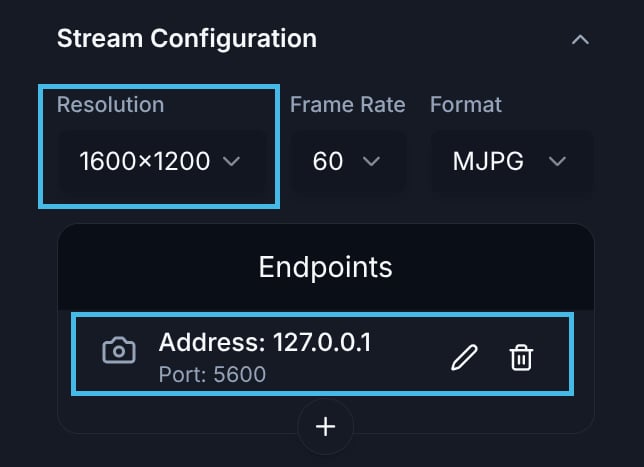
    원하는 해상도를 설정하고 올바른 엔드포인트를 추가했는지 확인하세요.

    현재 동기화된 스트리밍은 하나의 엔드포인트만 지원합니다.
    <Frame>
      <img width="400px" src="https://mintcdn.com/deepwaterexplorationinc/k1NiyPtDWmPRQW7L/svc-pro/guides/images/dweos-pro-synchronized/setup-stream.png?fit=max&auto=format&n=k1NiyPtDWmPRQW7L&q=85&s=0cfd0dc879f5c8b9c2b713f2db930777" data-path="svc-pro/guides/images/dweos-pro-synchronized/setup-stream.png" />
    </Frame>
  </Step>

  <Step title="비디오 스트림 시작">
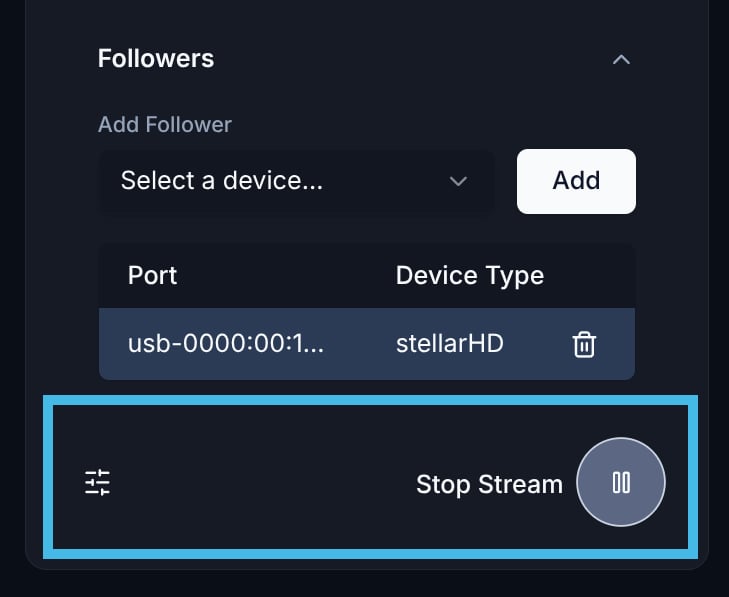
    스트림을 구성한 후, 재생 버튼을 선택하여 지정된 엔드포인트로 스트리밍을 시작할 수 있습니다.
    <Frame>
      <img width="150px" src="https://mintcdn.com/deepwaterexplorationinc/k1NiyPtDWmPRQW7L/svc-pro/guides/images/dweos-pro-synchronized/start-stream.png?fit=max&auto=format&n=k1NiyPtDWmPRQW7L&q=85&s=2b087ca3634cf9b0f4f8bcc9a6c866eb" data-path="svc-pro/guides/images/dweos-pro-synchronized/start-stream.png" />
    </Frame>
  </Step>

  <Step title="전체 설정">
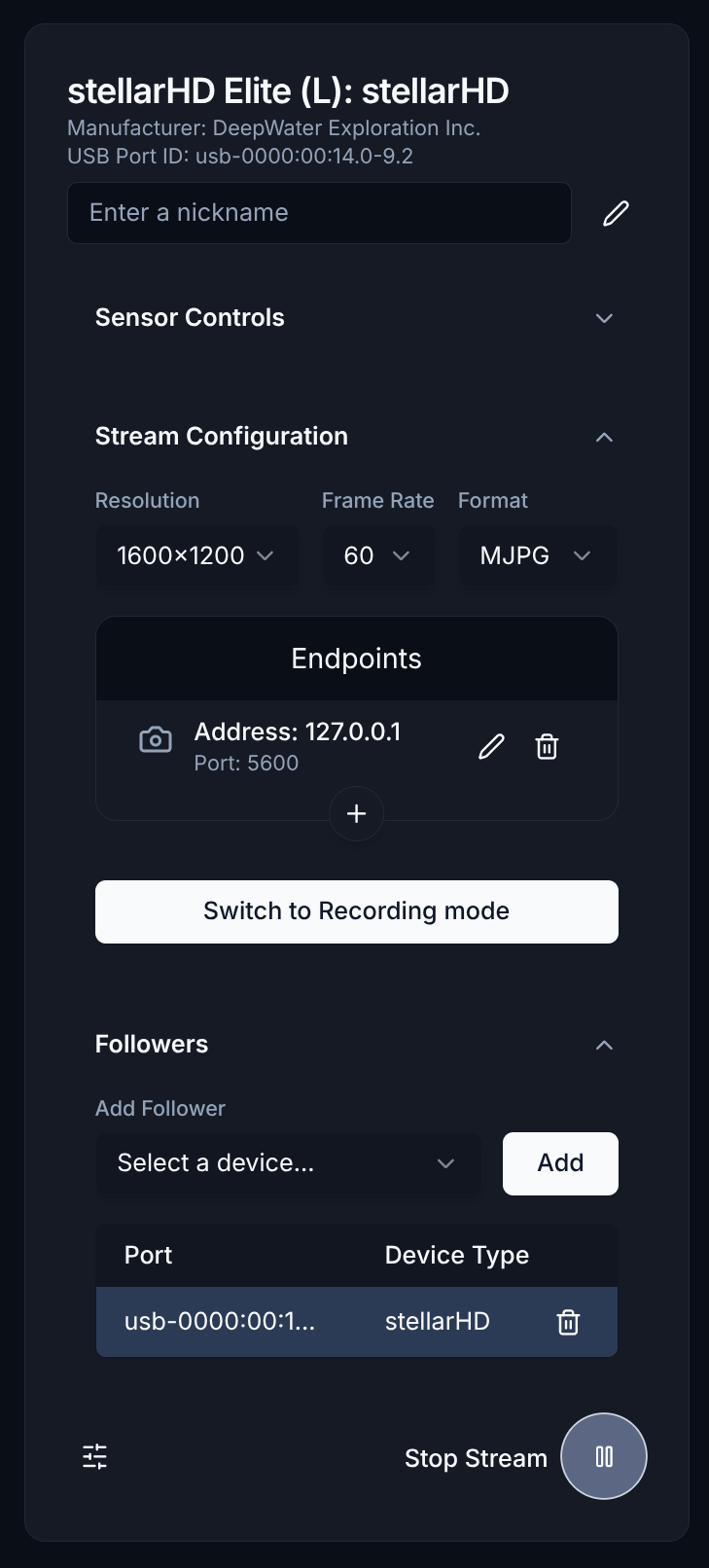
    이것이 전체 설정이 어떻게 보여야 하는지에 대한 예시입니다.

    <Frame>
      <img width="150px" src="https://mintcdn.com/deepwaterexplorationinc/k1NiyPtDWmPRQW7L/svc-pro/guides/images/dweos-pro-synchronized/full-setup.png?fit=max&auto=format&n=k1NiyPtDWmPRQW7L&q=85&s=82b4936d132d6474a768c56be4e1297a" data-path="svc-pro/guides/images/dweos-pro-synchronized/full-setup.png" />
    </Frame>
  </Step>

  <Step title="스트림 보기">
    [Discovery](https://dwe.ai/discovery)를 사용하여 동기화된 스트림을 볼 수 있습니다.

    <Card title="Discovery 소개" icon="https://mintcdn.com/deepwaterexplorationinc/ciSsG8vNJEpQDDuG/svc-pro/guides/images/dweos-pro-synchronized/discovery-logo.svg?fit=max&auto=format&n=ciSsG8vNJEpQDDuG&q=85&s=0ad29ed7a17cb2311f31835de704a267" href="/ko/discovery/misc/dwvo-support" width="824" height="824" data-path="svc-pro/guides/images/dweos-pro-synchronized/discovery-logo.svg">
      여기를 클릭하여 Discovery for Desktop 사용 방법을 알아보세요.
    </Card>

    <Note>
      dweOS의 동기화된 스트림은 사용자 지정 프로토콜을 따릅니다. 사용자 지정 애플리케이션에서 프레임을 수신해야 하는 경우, [다음 샘플 코드](https://github.com/DeepWaterExploration/RTPReceiverAPI)를 사용하세요.
    </Note>
  </Step>
</Steps>