> ## Documentation Index
> Fetch the complete documentation index at: https://docs.dwe.ai/llms.txt
> Use this file to discover all available pages before exploring further.

# 녹화 파일 다운로드

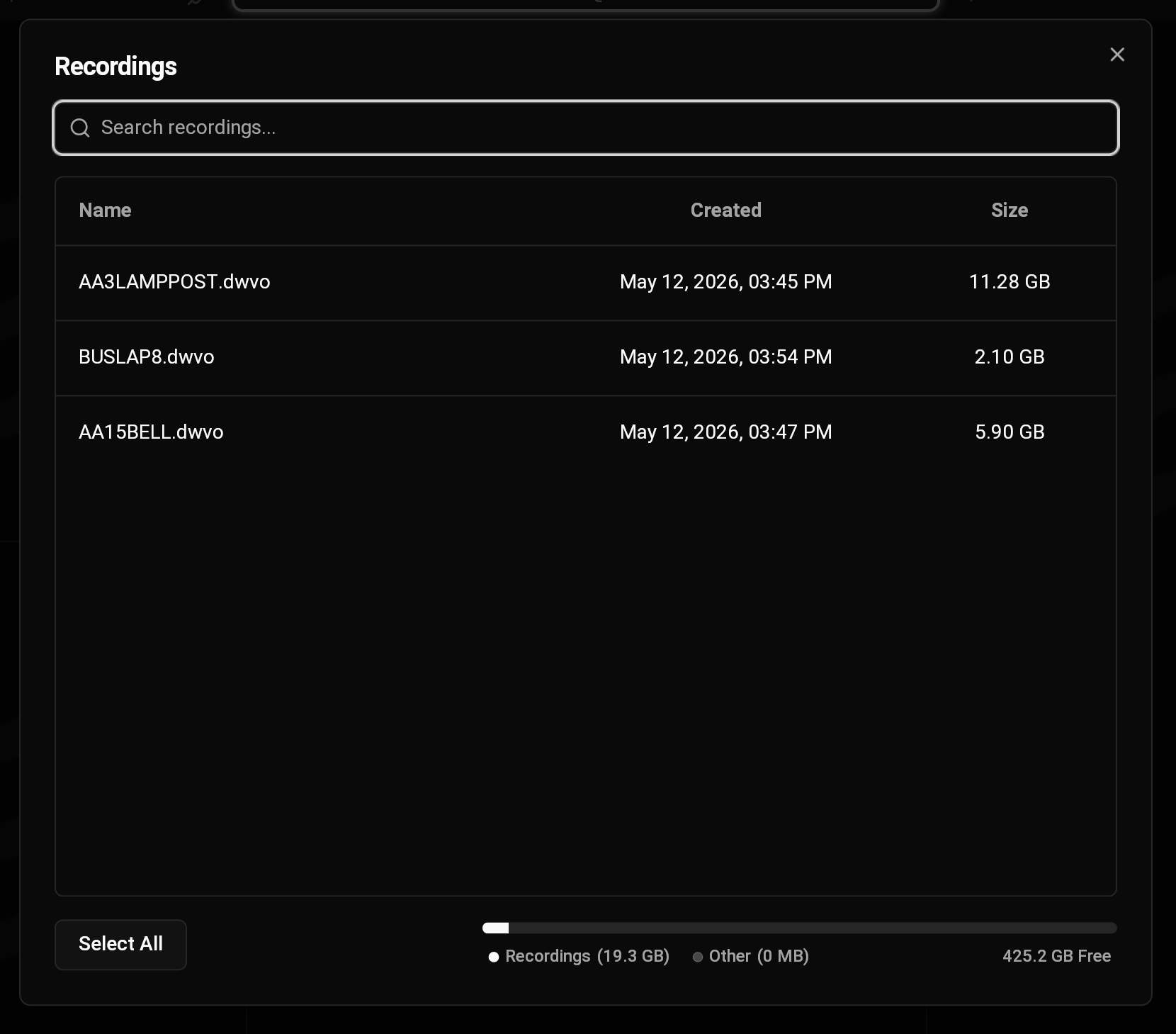
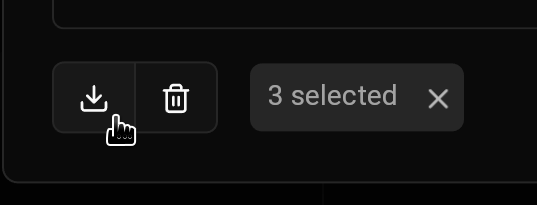
SVC Pro에서 영상을 녹화한 후에는, DeepWater Desktop을 통해 디바이스에서 직접 영상 파일을 다운로드할 수 있습니다.

DWVO 파일을 코드에 프로그래밍 방식으로 로드하거나 다른 데이터셋 형식으로 내보내는 방법은 [DWVO Reading](/ko/discovery/misc/dwvo-reading) 문서를 참조하세요.

<Note>
  DWVO 변환을 위한 추가 도구는 사용자 요청 시 제공합니다. 자세한 내용은 [문의하기](https://dwe.ai/pages/contact)를 통해 알려주세요.
</Note>

<Steps>
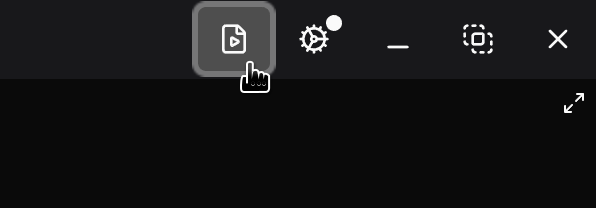
  <Step title="녹화 다이얼로그로 이동">
    <img src="https://mintcdn.com/deepwaterexplorationinc/uBNhHnixPpSOgJv0/dw-desktop/guides/images/recordings-button.png?fit=max&auto=format&n=uBNhHnixPpSOgJv0&q=85&s=9fcbde7130c00182032ad95bd2899495" alt="" width="596" height="208" data-path="dw-desktop/guides/images/recordings-button.png" />

    <img src="https://mintcdn.com/deepwaterexplorationinc/uBNhHnixPpSOgJv0/dw-desktop/guides/images/recordings.png?fit=max&auto=format&n=uBNhHnixPpSOgJv0&q=85&s=e618d7ba694dce499b4b483864c56c94" alt="DWD Recordings" width="1660" height="1459" data-path="dw-desktop/guides/images/recordings.png" />
  </Step>

  <Step title="녹화 파일 선택">
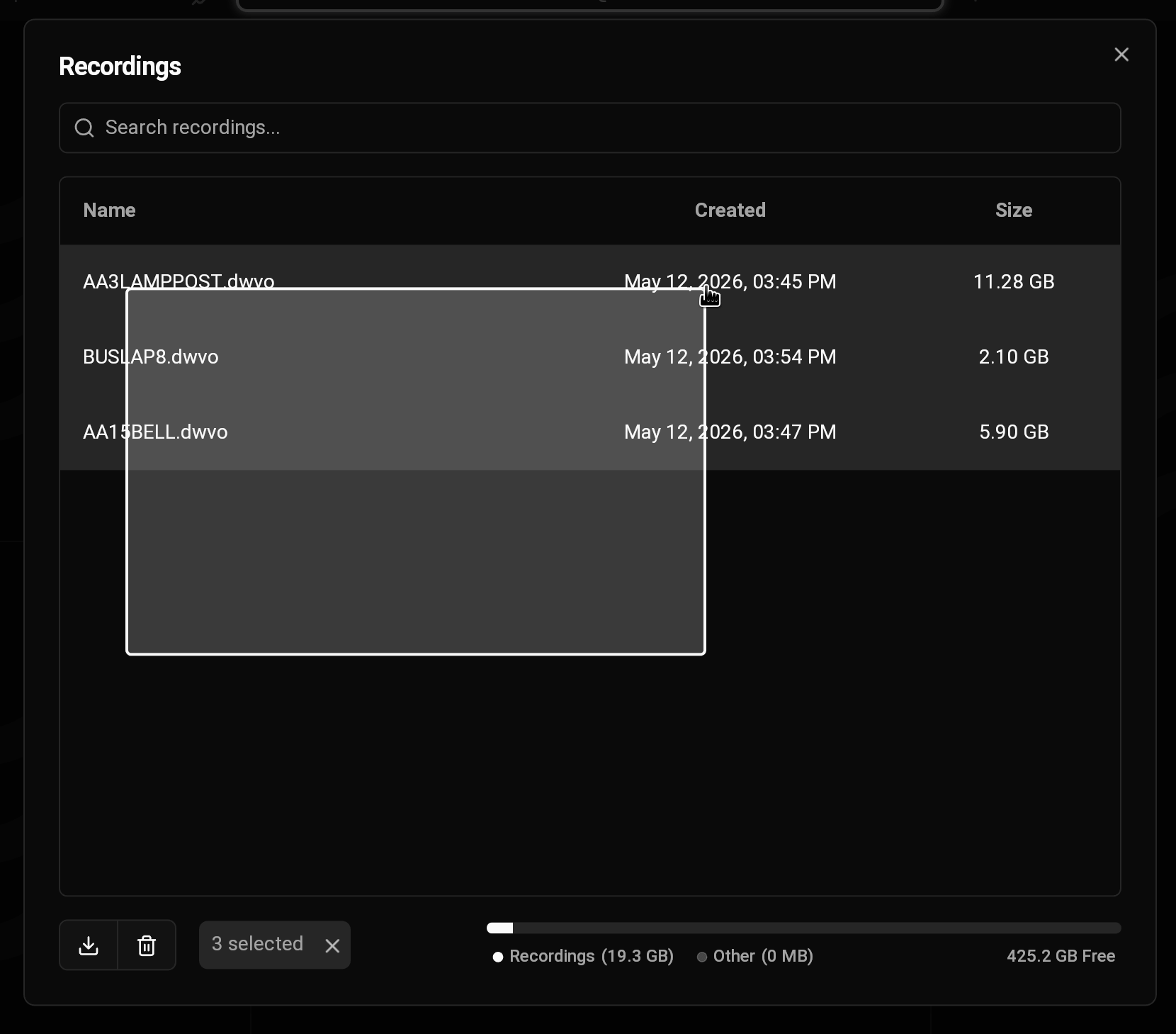
    <img src="https://mintcdn.com/deepwaterexplorationinc/uBNhHnixPpSOgJv0/dw-desktop/guides/images/multi-select.png?fit=max&auto=format&n=uBNhHnixPpSOgJv0&q=85&s=fbfd0168808ea9264d0082623a3d364a" alt="Select Multiple" width="1660" height="1459" data-path="dw-desktop/guides/images/multi-select.png" />

    <Tip>
      커서를 드래그하여 여러 녹화 파일을 한 번에 선택할 수 있습니다.
    </Tip>
  </Step>

  <Step title="녹화 파일 다운로드">
    <img src="https://mintcdn.com/deepwaterexplorationinc/uBNhHnixPpSOgJv0/dw-desktop/guides/images/download-recordings.png?fit=max&auto=format&n=uBNhHnixPpSOgJv0&q=85&s=aeeb30d817216b0af7d4fa8e083bd343" alt="" width="537" height="205" data-path="dw-desktop/guides/images/download-recordings.png" />
  </Step>
</Steps>