> ## Documentation Index
> Fetch the complete documentation index at: https://docs.dwe.ai/llms.txt
> Use this file to discover all available pages before exploring further.
# 업데이트
> 자동 업데이트 및 버전 관리.
업데이트 박스를 사용하면 새로운 Discovery 릴리스를 수동으로 검색할 수 있습니다.
일반적으로 Discovery는 자체적으로 업데이트를 확인하고 백그라운드에서 다운로드합니다.
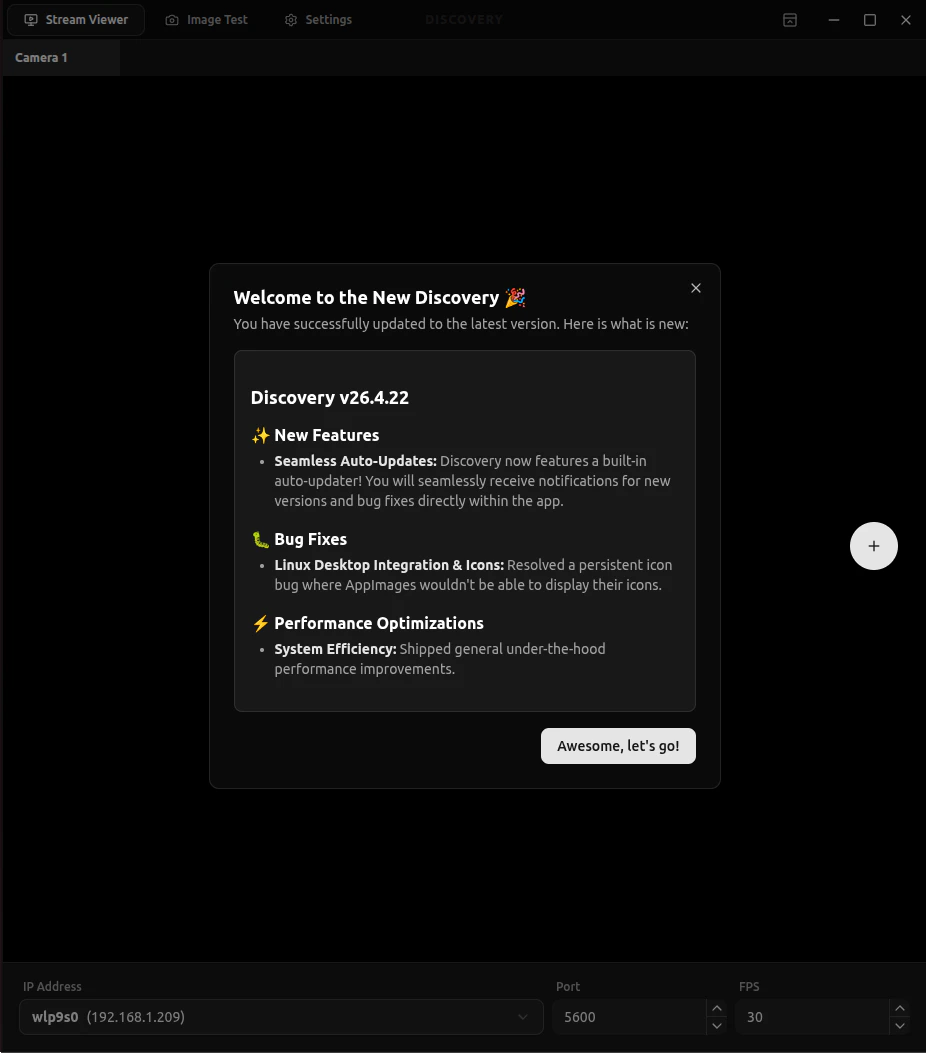
다운로드가 완료되면 마지막 릴리스 이후의 변경 사항을 다루는 **Release Notes**가 표시됩니다.
 ## 업데이트 검색
자동 업데이트가 충분히 빠르지 않은 경우 수동으로 업데이트를 검색할 수 있습니다.
업데이트가 있으면 Discovery가 이를 다운로드하고 변경 사항을 보여줍니다.
다시 시작 옵션을 선택하면 새 버전을 설치하고 다시 엽니다 (잠시 시간이 걸릴 수 있습니다). 그렇지 않으면 다음 재시작 시 설치됩니다.
이러한 방법이 모두 작동하지 않는 경우, [다운로드 페이지](https://dwe.ai/pages/downloads)에서도 설치할 수 있습니다.
## 업데이트 검색
자동 업데이트가 충분히 빠르지 않은 경우 수동으로 업데이트를 검색할 수 있습니다.
업데이트가 있으면 Discovery가 이를 다운로드하고 변경 사항을 보여줍니다.
다시 시작 옵션을 선택하면 새 버전을 설치하고 다시 엽니다 (잠시 시간이 걸릴 수 있습니다). 그렇지 않으면 다음 재시작 시 설치됩니다.
이러한 방법이 모두 작동하지 않는 경우, [다운로드 페이지](https://dwe.ai/pages/downloads)에서도 설치할 수 있습니다.