> ## Documentation Index
> Fetch the complete documentation index at: https://docs.dwe.ai/llms.txt
> Use this file to discover all available pages before exploring further.
# 전역 설정
> 애플리케이션 전반의 설정과 고급 네트워킹.
이 설정은 애플리케이션 전체에 적용됩니다. 표준 옵션에는 애플리케이션 줌과 애플리케이션 우측 하단에 표시되는 알림 음소거가 포함됩니다.
여기서 분석 데이터 전송 여부도 선택할 수 있습니다. 분석 데이터는 Discovery를 개선하고 버그 수정을 가속화하는 데 도움이 됩니다.
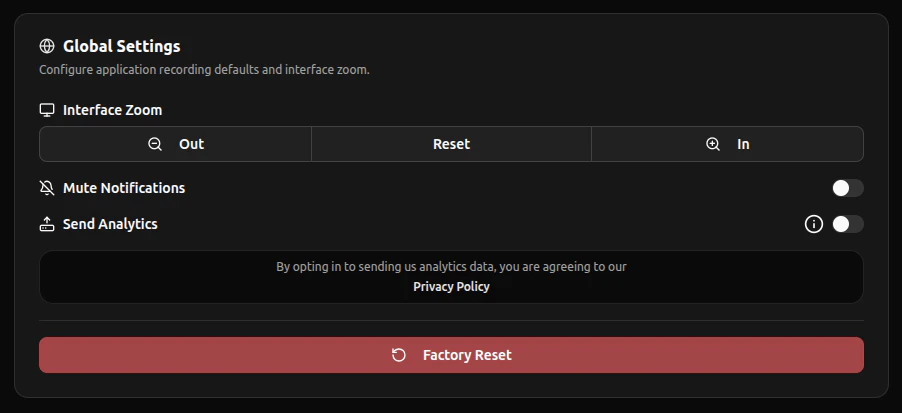 공장 초기화를 수행하면 모든 설정과 **Stream Viewer 창**이 새로 고쳐집니다. **공장 초기화**를 누르기 전에 중요한 설정이 없는지 반드시 확인하세요.