> ## Documentation Index
> Fetch the complete documentation index at: https://docs.dwe.ai/llms.txt
> Use this file to discover all available pages before exploring further.

# システムアクション

> このガイドでは、dweOS を使用してマシンのさまざまな側面を制御する方法を説明します。

<Note>これはごく特定の状況でのみ必要です。</Note>

## ページへのアクセス

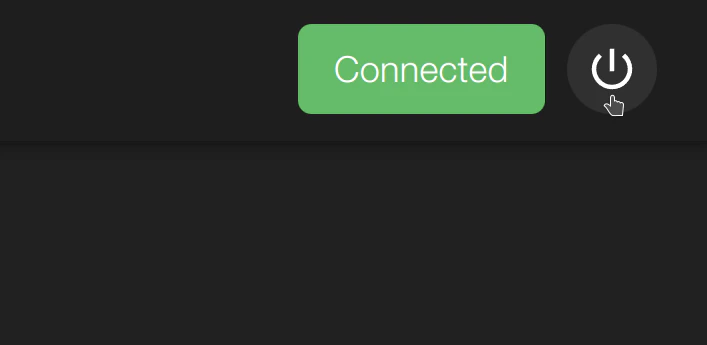
システムアクションボタンは dweOS の常に表示される位置にあります。右上にあり、選択するとオプションが表示されます。
<img src="https://mintcdn.com/deepwaterexplorationinc/NrWVR9Qe6FWmBE6d/dwe-os/pages/images/system-actions.png?fit=max&auto=format&n=NrWVR9Qe6FWmBE6d&q=85&s=4166a703785d819869368f9130daa7bc" alt="System Actions" width="707" height="345" data-path="dwe-os/pages/images/system-actions.png" />

## オプション

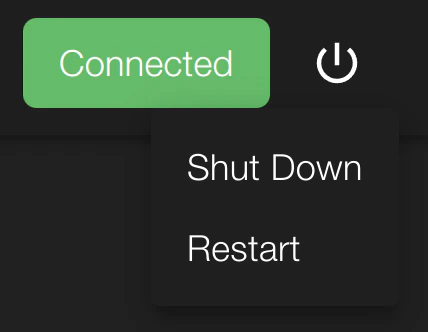
システムアクションボタンを使えば、システムをシャットダウンするか再起動するかを選べます。
<img src="https://mintcdn.com/deepwaterexplorationinc/NrWVR9Qe6FWmBE6d/dwe-os/pages/images/system-actions-expanded.png?fit=max&auto=format&n=NrWVR9Qe6FWmBE6d&q=85&s=287429f072f61196af2cfbd66a779fe6" alt="System Actions" width="428" height="332" data-path="dwe-os/pages/images/system-actions-expanded.png" />

<Tip>
  どちらのボタンを選択しても、システムは即座に接続を失います。
</Tip>
