> ## Documentation Index
> Fetch the complete documentation index at: https://docs.dwe.ai/llms.txt
> Use this file to discover all available pages before exploring further.

# 同期ストリーミングガイド

> explore3D の同期ストリーミングを設定するための完全ガイド。

<Note>
  現時点では 2 台のカメラの同期のみサポートされています。
</Note>

<Steps>
  <Step title="Leader カメラを特定する">
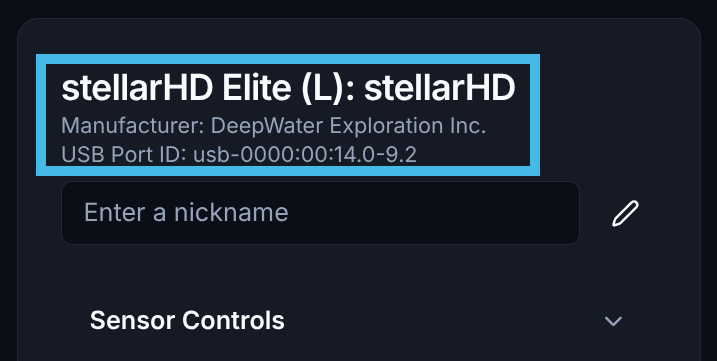
    dweOS のメインページに移動し、カメラのリストから `Leader` カメラ(`(L)` と表示されているもの)を特定します。

    <Note>**follower-follower** モード(両方のカメラがフォロワー)の場合は、システム内で最も左側のカメラをリーダーとして選択してください。この場合、[外部同期信号](/ja/stellarHD/guides/syncing-multiple-cameras) が設定されていることを確認してください。**SVC Pro** はすでに外部同期が設定されており、デフォルトではすべてのカメラをフォロワーとして想定しています。</Note>

    <Frame>
      <img width="400px" src="https://mintcdn.com/deepwaterexplorationinc/k1NiyPtDWmPRQW7L/svc-pro/guides/images/dweos-pro-synchronized/leader-camera.png?fit=max&auto=format&n=k1NiyPtDWmPRQW7L&q=85&s=f823a9dca1b06968c5137033408afd79" data-path="svc-pro/guides/images/dweos-pro-synchronized/leader-camera.png" />
    </Frame>
  </Step>

  <Step title="Follower カメラを特定する">
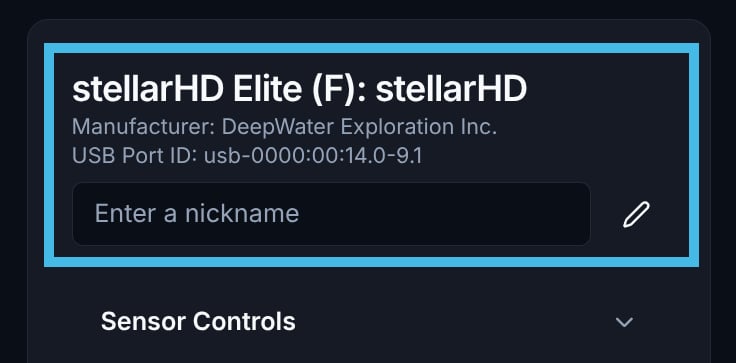
    カメラのリストから `Follower` カメラ(`(F)` と表示されているもの)を特定します。`USB Port ID` をメモしておきます。

    <Note>フォロワーデバイスのすべてのビデオストリームを停止しておいてください。後で競合を引き起こす可能性があります。</Note>

    <Frame>
      <img width="400px" src="https://mintcdn.com/deepwaterexplorationinc/k1NiyPtDWmPRQW7L/svc-pro/guides/images/dweos-pro-synchronized/follower-camera.png?fit=max&auto=format&n=k1NiyPtDWmPRQW7L&q=85&s=2355b0f9d0afc919e3bf66b4f78cc3b0" data-path="svc-pro/guides/images/dweos-pro-synchronized/follower-camera.png" />
    </Frame>
  </Step>

  <Step title="Leader カメラ (L) に戻る">
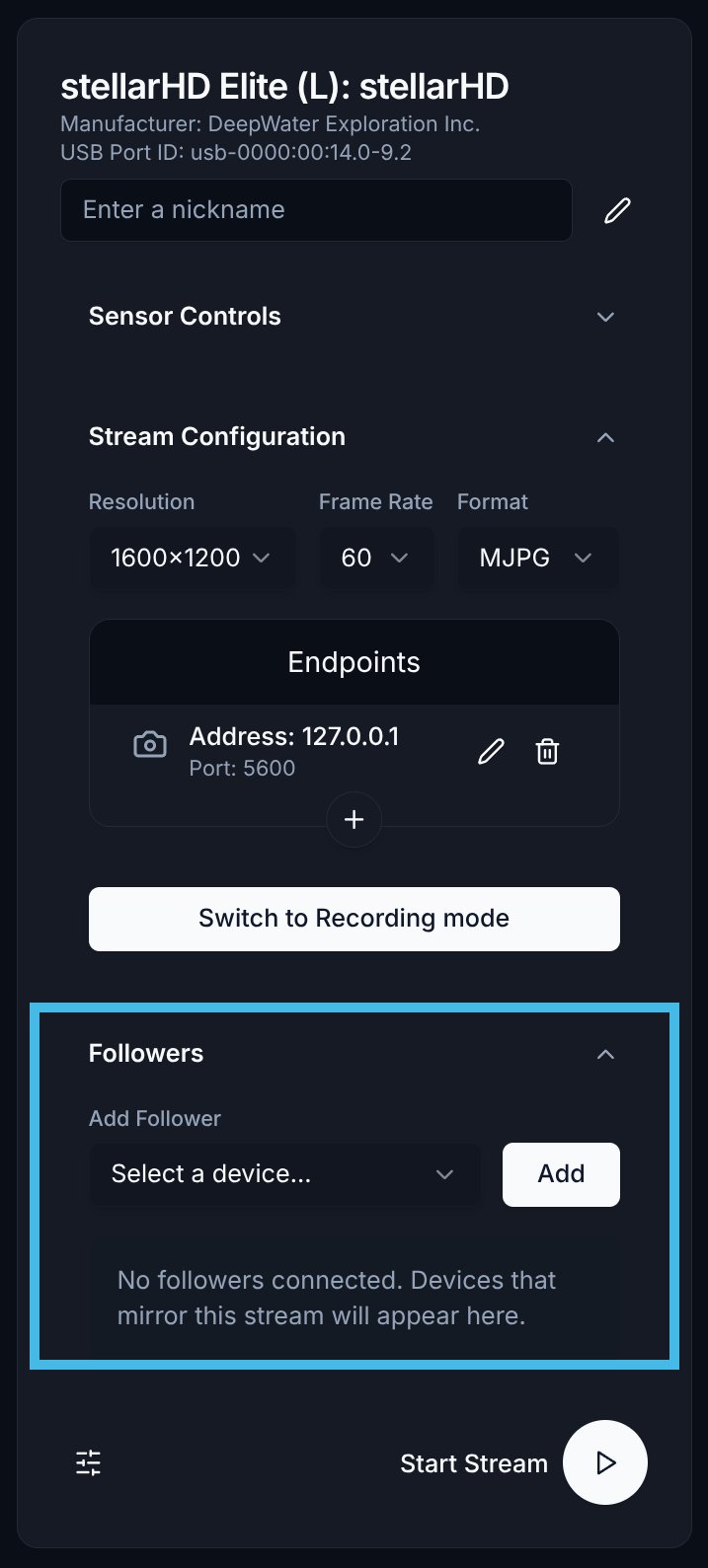
    Leader カメラのメニューで、下部の `Followers` というラベルの部分に移動します。
    <Frame>
      <img width="150px" src="https://mintcdn.com/deepwaterexplorationinc/k1NiyPtDWmPRQW7L/svc-pro/guides/images/dweos-pro-synchronized/followers-list.png?fit=max&auto=format&n=k1NiyPtDWmPRQW7L&q=85&s=9c9399f384426f14a902ad68f01e5ce0" data-path="svc-pro/guides/images/dweos-pro-synchronized/followers-list.png" />
    </Frame>
  </Step>

  <Step title="フォロワーデバイスを選択して追加する">
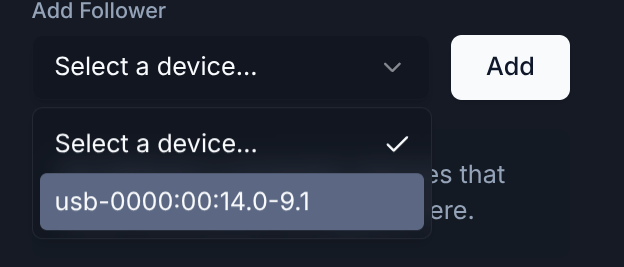
    ドロップダウンリストから正しいフォロワーデバイスを選択し、`Add` ボタンをクリックします。
    <Frame>
      <img width="400px" src="https://mintcdn.com/deepwaterexplorationinc/ciSsG8vNJEpQDDuG/svc-pro/guides/images/dweos-pro-synchronized/add-follower.png?fit=max&auto=format&n=ciSsG8vNJEpQDDuG&q=85&s=ee467d664e7416cf02e572ef91665c54" data-path="svc-pro/guides/images/dweos-pro-synchronized/add-follower.png" />
    </Frame>
  </Step>

  <Step title="ストリームを設定する">
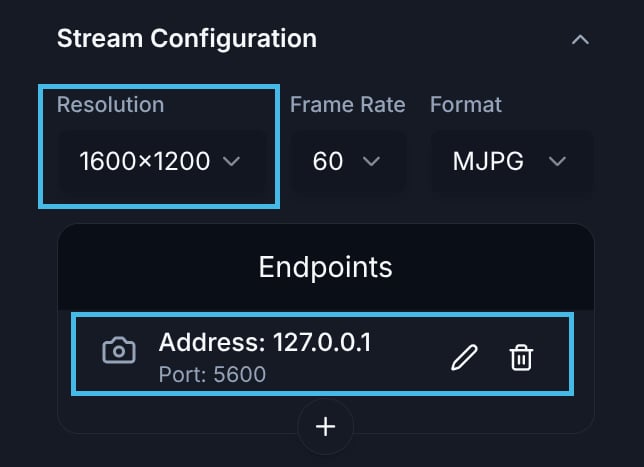
    必要な解像度を設定し、正しいエンドポイントが追加されていることを確認してください。

    同期ストリーミングでは、現時点で 1 つのエンドポイントのみサポートされています。
    <Frame>
      <img width="400px" src="https://mintcdn.com/deepwaterexplorationinc/k1NiyPtDWmPRQW7L/svc-pro/guides/images/dweos-pro-synchronized/setup-stream.png?fit=max&auto=format&n=k1NiyPtDWmPRQW7L&q=85&s=0cfd0dc879f5c8b9c2b713f2db930777" data-path="svc-pro/guides/images/dweos-pro-synchronized/setup-stream.png" />
    </Frame>
  </Step>

  <Step title="動画ストリームを開始する">
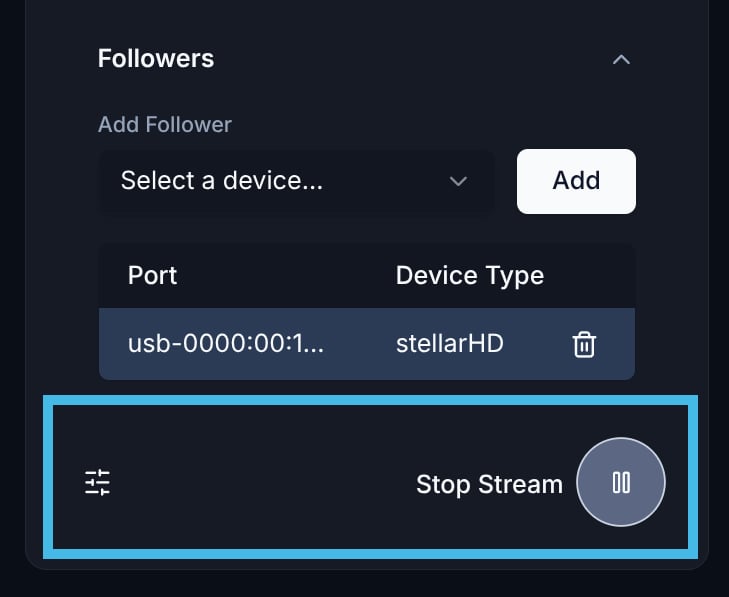
    ストリームの設定後、再生ボタンを選択すると、指定したエンドポイントへのストリーミングを開始できます。
    <Frame>
      <img width="150px" src="https://mintcdn.com/deepwaterexplorationinc/k1NiyPtDWmPRQW7L/svc-pro/guides/images/dweos-pro-synchronized/start-stream.png?fit=max&auto=format&n=k1NiyPtDWmPRQW7L&q=85&s=2b087ca3634cf9b0f4f8bcc9a6c866eb" data-path="svc-pro/guides/images/dweos-pro-synchronized/start-stream.png" />
    </Frame>
  </Step>

  <Step title="完全なセットアップ">
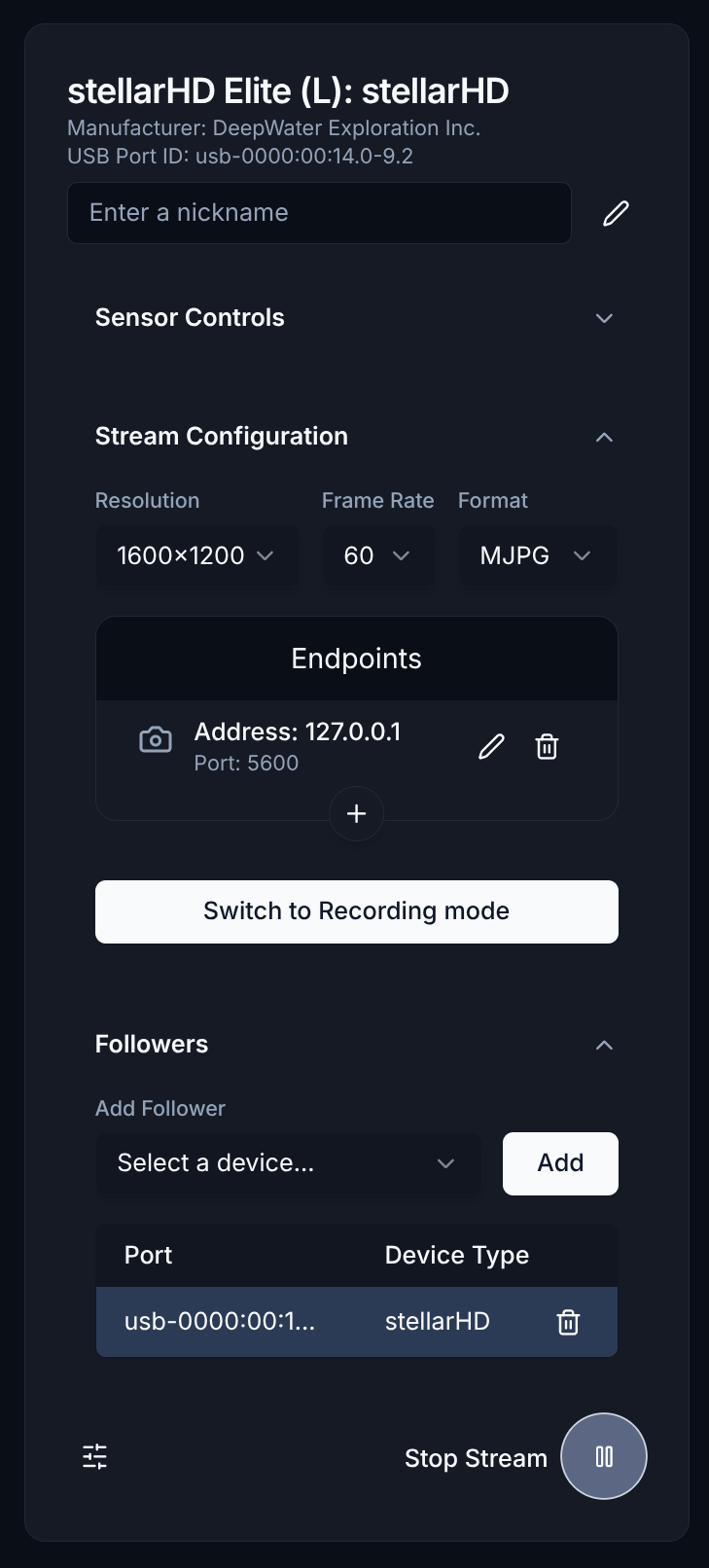
    完全なセットアップは以下のようになります。

    <Frame>
      <img width="150px" src="https://mintcdn.com/deepwaterexplorationinc/k1NiyPtDWmPRQW7L/svc-pro/guides/images/dweos-pro-synchronized/full-setup.png?fit=max&auto=format&n=k1NiyPtDWmPRQW7L&q=85&s=82b4936d132d6474a768c56be4e1297a" data-path="svc-pro/guides/images/dweos-pro-synchronized/full-setup.png" />
    </Frame>
  </Step>

  <Step title="ストリームを表示する">
    同期ストリームの表示には [Discovery](https://dwe.ai/discovery) を使用できます。

    <Card title="Discovery の紹介" icon="https://mintcdn.com/deepwaterexplorationinc/ciSsG8vNJEpQDDuG/svc-pro/guides/images/dweos-pro-synchronized/discovery-logo.svg?fit=max&auto=format&n=ciSsG8vNJEpQDDuG&q=85&s=0ad29ed7a17cb2311f31835de704a267" href="/ja/discovery/misc/dwvo-support" width="824" height="824" data-path="svc-pro/guides/images/dweos-pro-synchronized/discovery-logo.svg">
      ここをクリックして、Discovery for Desktop の使い方を学びましょう。
    </Card>

    <Note>
      dweOS からの同期ストリームは、カスタムプロトコルに従います。カスタムアプリケーションからフレームを受信する必要がある場合は、[以下のサンプルコード](https://github.com/DeepWaterExploration/RTPReceiverAPI) を使用してください。
    </Note>
  </Step>
</Steps>