> ## Documentation Index
> Fetch the complete documentation index at: https://docs.dwe.ai/llms.txt
> Use this file to discover all available pages before exploring further.
# アップデート
> 自動アップデートとバージョン管理。
Updates ボックスでは、Discovery の新しいリリースを手動でスキャンできます。
通常、Discovery は自動でアップデートを確認し、バックグラウンドでダウンロードします。
ダウンロードが完了すると、前回のリリースからの変更点をまとめた **Release Notes** が表示されます。
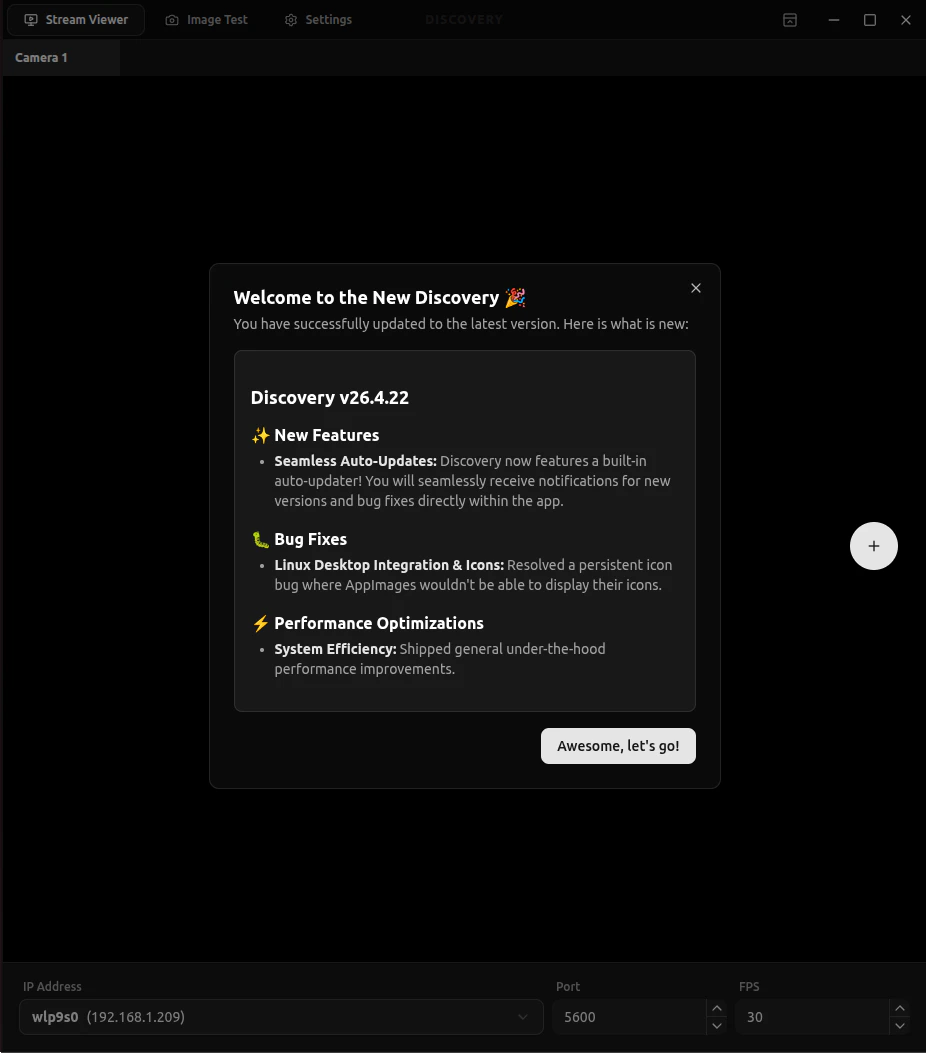 ## アップデートをスキャン
自動アップデートでは間に合わない場合、手動でアップデートをスキャンできます。
アップデートがある場合、Discovery はそれをダウンロードして変更点を表示します。
再起動オプションを選択すると、新しいバージョンをインストールしてアプリを再度開きます (少し時間がかかる場合があります)。それ以外の場合は、次回の起動時にインストールされます。
これらの方法でうまくいかない場合は、[ダウンロードページ](https://dwe.ai/pages/downloads) からもインストールできます。
## アップデートをスキャン
自動アップデートでは間に合わない場合、手動でアップデートをスキャンできます。
アップデートがある場合、Discovery はそれをダウンロードして変更点を表示します。
再起動オプションを選択すると、新しいバージョンをインストールしてアプリを再度開きます (少し時間がかかる場合があります)。それ以外の場合は、次回の起動時にインストールされます。
これらの方法でうまくいかない場合は、[ダウンロードページ](https://dwe.ai/pages/downloads) からもインストールできます。