> ## Documentation Index
> Fetch the complete documentation index at: https://docs.dwe.ai/llms.txt
> Use this file to discover all available pages before exploring further.
# キャプチャパス
> 録画やスナップショットの保存先を設定します。
ここで、すべての動画やスナップショットの出力フォルダを指定できます。デフォルトでは、録画はシステムの **Videos** フォルダ、スナップショットは **Documents** フォルダに設定されます。どちらにも新しい Discovery フォルダが作成されます。
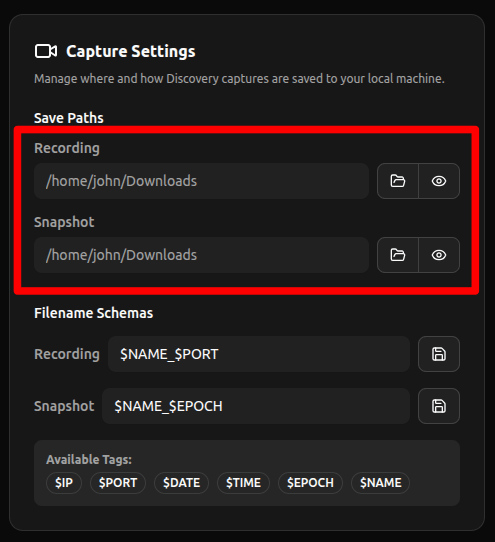 * **開く:** ファイルエクスプローラーを開いてフォルダを選択します。
* **表示:** ファイルエクスプローラーを開いてフォルダ内のファイルを表示します。
* **開く:** ファイルエクスプローラーを開いてフォルダを選択します。
* **表示:** ファイルエクスプローラーを開いてフォルダ内のファイルを表示します。