> ## Documentation Index
> Fetch the complete documentation index at: https://docs.dwe.ai/llms.txt
> Use this file to discover all available pages before exploring further.

# Configuration du RPi

<Steps>
  <Step title="Assurez-vous d'avoir dweOS installé sur votre ordinateur sous-marin">
    <Card title="Installation de dweOS" icon="download" href="/fr/dwe-os/installation/cmd-line">
      Suivez ce guide pour installer dweOS sur votre appareil.
    </Card>
  </Step>

  <Step title="Suivez le guide de configuration réseau sur votre ordinateur de bureau/portable">
    <Card title="Paramètres réseau du bureau" icon="link" href="/fr/dwe-os/guides/desktop-network-setup">
      Cliquez ici pour configurer votre PC/portable afin de le connecter à votre Raspberry Pi.
    </Card>
  </Step>

  <Step title="Connectez vos caméras à votre appareil">
    <Tabs>
      <Tab title="USB Type-A">
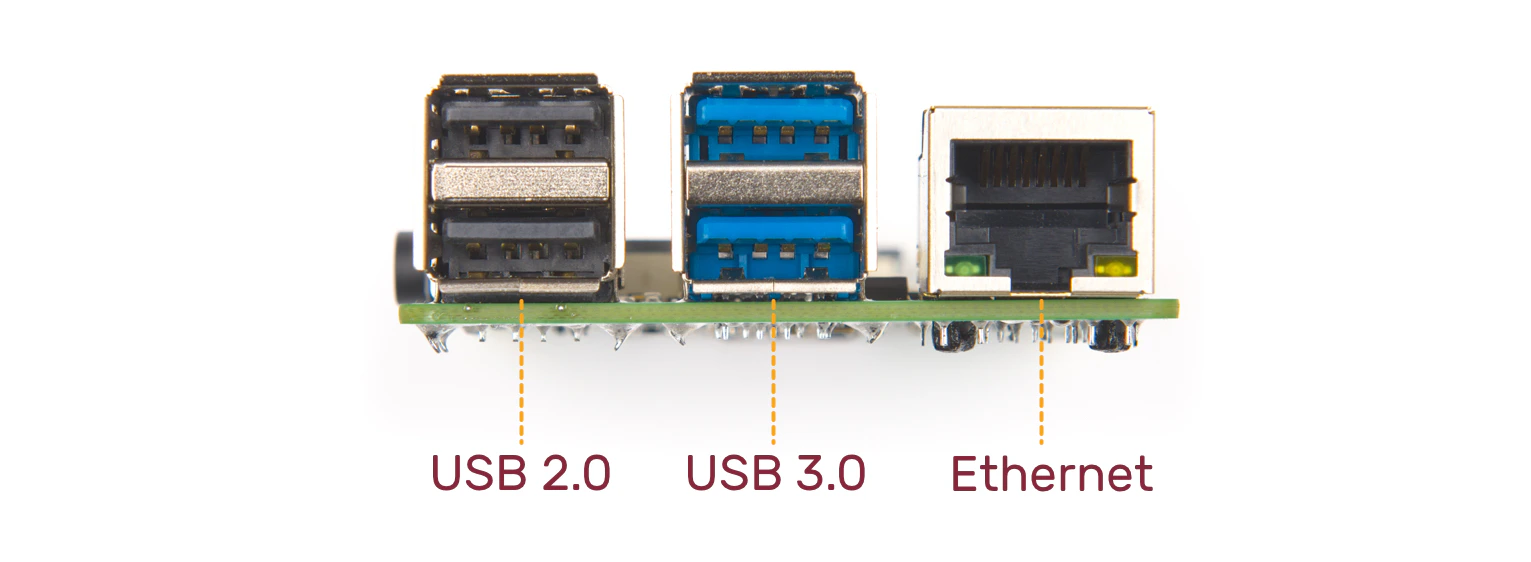
        <Frame caption="Connectez les caméras à votre port USB">
          <img src="https://mintcdn.com/deepwaterexplorationinc/PpwtoMTlxduUAF0D/dwe-os/guides/images/rpi4-usb-usb-eth.jpg?fit=max&auto=format&n=PpwtoMTlxduUAF0D&q=85&s=fe61ed0c86806da2eecadd9b7122c8df" width="1531" height="562" data-path="dwe-os/guides/images/rpi4-usb-usb-eth.jpg" />
        </Frame>
      </Tab>

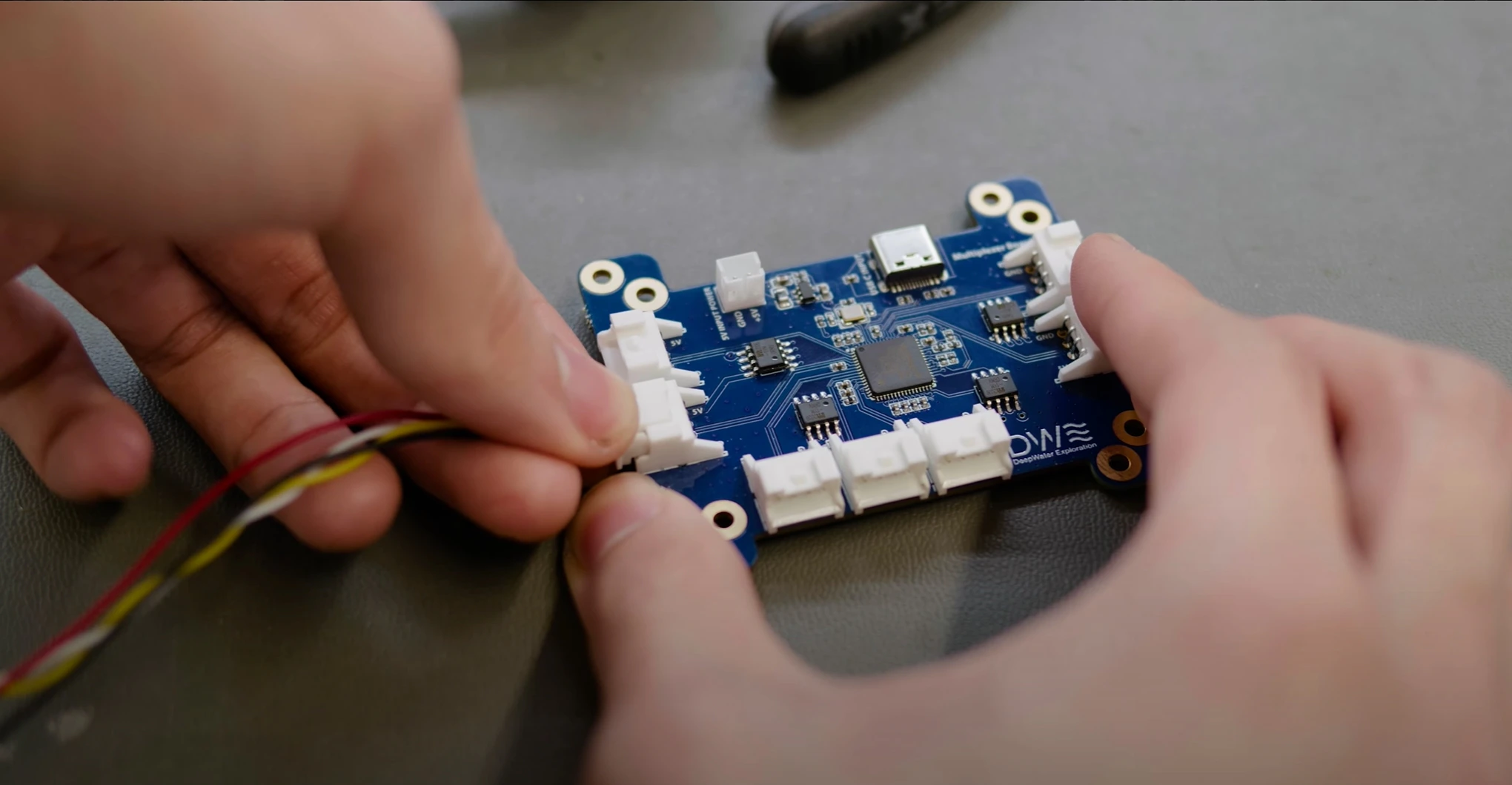
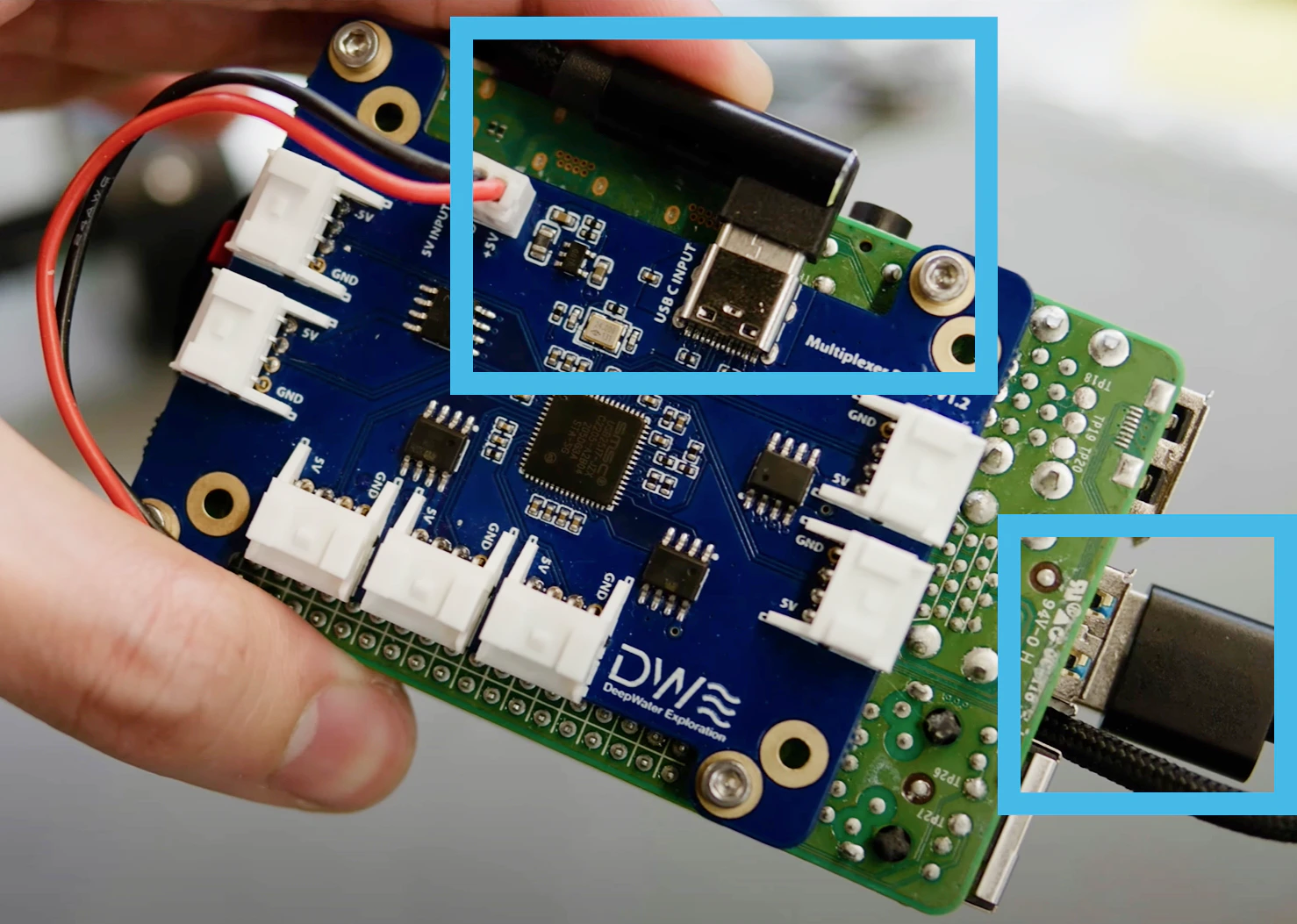
      <Tab title="Hub multiplexeur à 7 ports">
        <Frame caption="Connectez les caméras au multiplexeur 7 ports">
          <img src="https://mintcdn.com/deepwaterexplorationinc/PpwtoMTlxduUAF0D/dwe-os/guides/images/JST-connect-mux.jpg?fit=max&auto=format&n=PpwtoMTlxduUAF0D&q=85&s=49d32a5c7d428b3bae171afb3055cd7b" width="2040" height="1059" data-path="dwe-os/guides/images/JST-connect-mux.jpg" />
        </Frame>

        <Frame caption="Connectez le multiplexeur 7 ports au RPi via Type-C">
          <img src="https://mintcdn.com/deepwaterexplorationinc/PpwtoMTlxduUAF0D/dwe-os/guides/images/Mux-USB-Connect.png?fit=max&auto=format&n=PpwtoMTlxduUAF0D&q=85&s=5b30e8e54b9331ccda7349ca4734448b" width="1478" height="1053" data-path="dwe-os/guides/images/Mux-USB-Connect.png" />
        </Frame>
      </Tab>
    </Tabs>
  </Step>

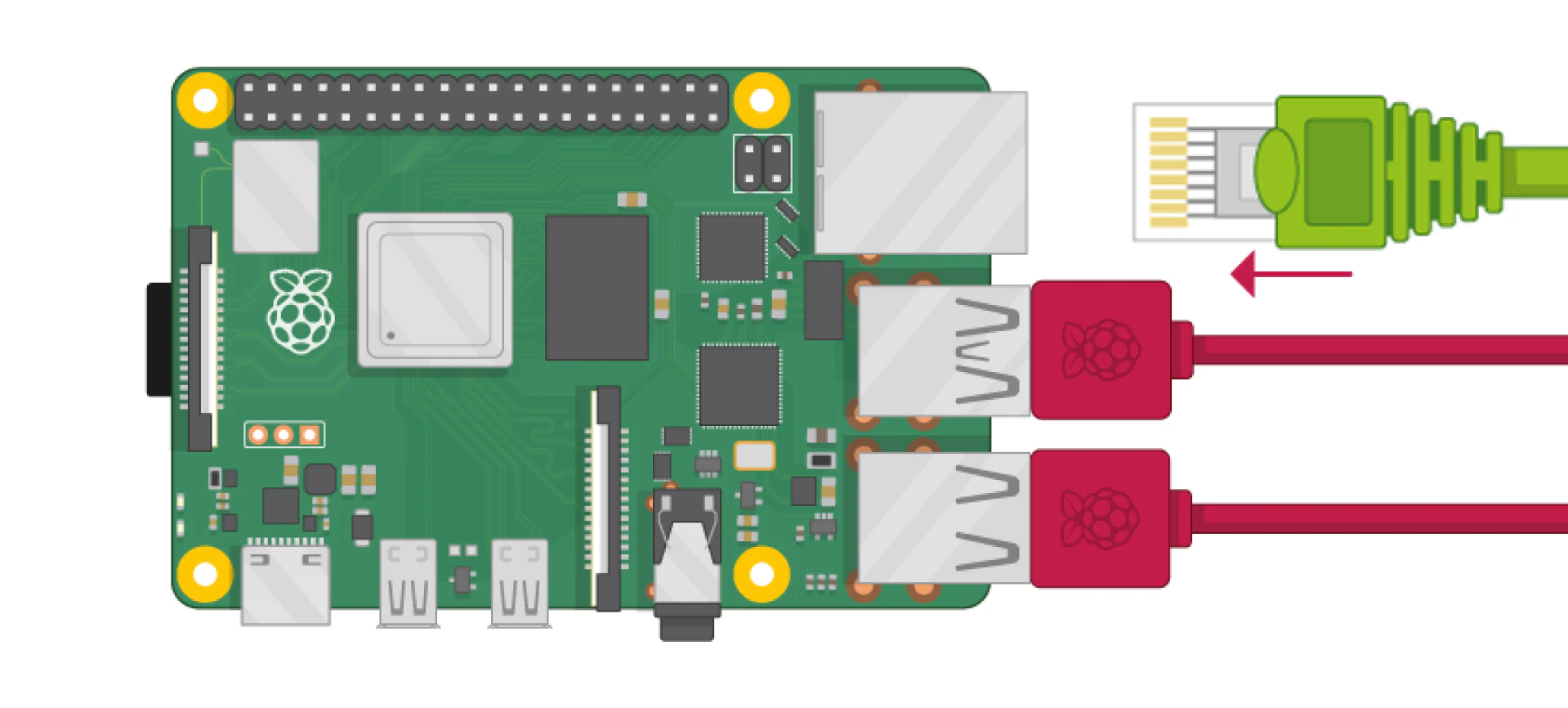
  <Step title="Connectez le câble Ethernet à votre appareil">
    <Frame>
      <img src="https://mintcdn.com/deepwaterexplorationinc/PpwtoMTlxduUAF0D/dwe-os/guides/images/RPi-4-Ethernet.jpg?fit=max&auto=format&n=PpwtoMTlxduUAF0D&q=85&s=19a3a0e9532780510eedd7f9b87573f4" width="1919" height="866" data-path="dwe-os/guides/images/RPi-4-Ethernet.jpg" />
    </Frame>
  </Step>

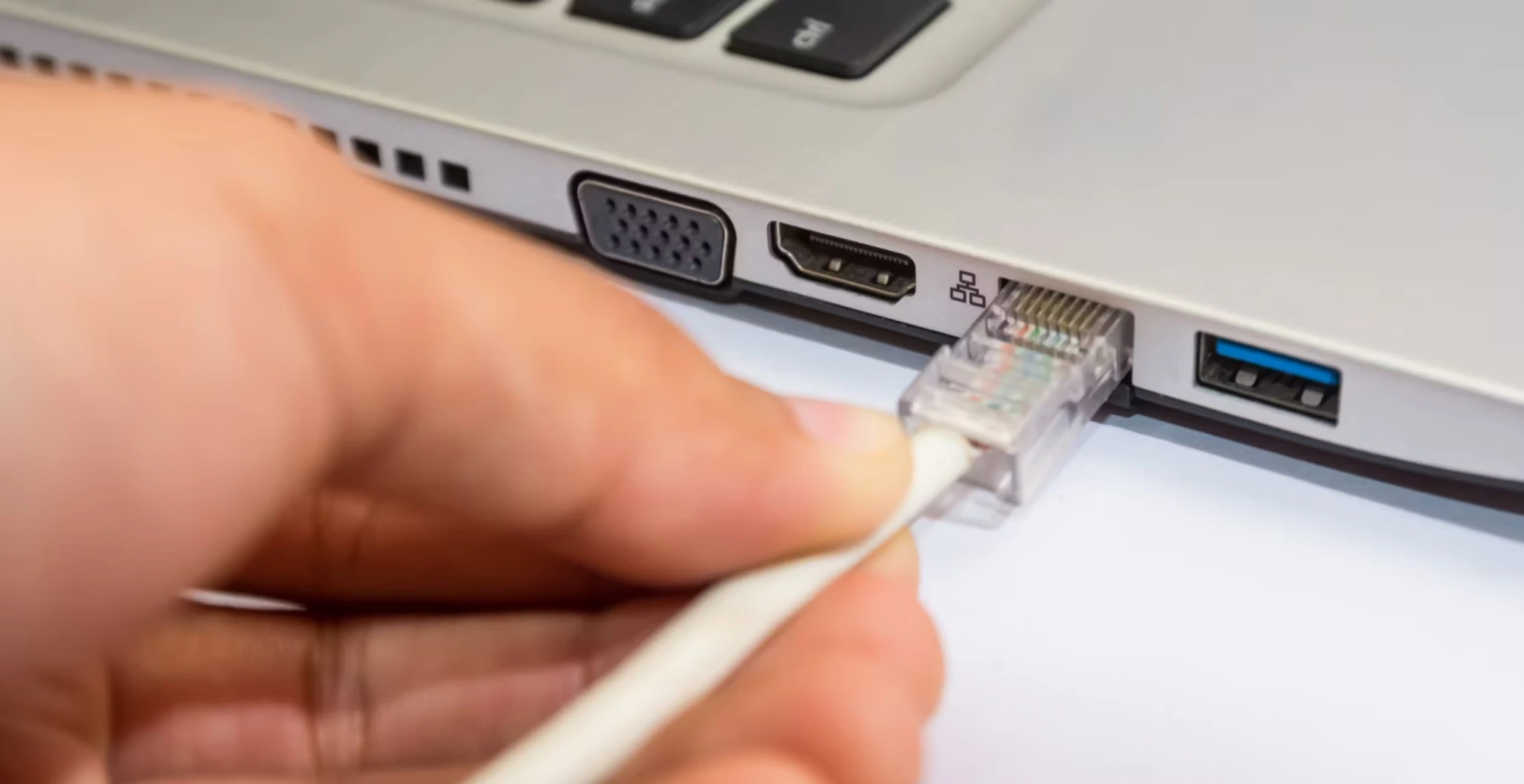
  <Step title="Connectez le câble Ethernet à votre ordinateur portable/PC">
    <Frame>
      <img src="https://mintcdn.com/deepwaterexplorationinc/PpwtoMTlxduUAF0D/dwe-os/guides/images/PC-Ethernet.jpg?fit=max&auto=format&n=PpwtoMTlxduUAF0D&q=85&s=d250b00f7dc5ca0fae8ed996412d211f" width="2041" height="1050" data-path="dwe-os/guides/images/PC-Ethernet.jpg" />
    </Frame>
  </Step>

  <Step title="Allumez votre appareil">
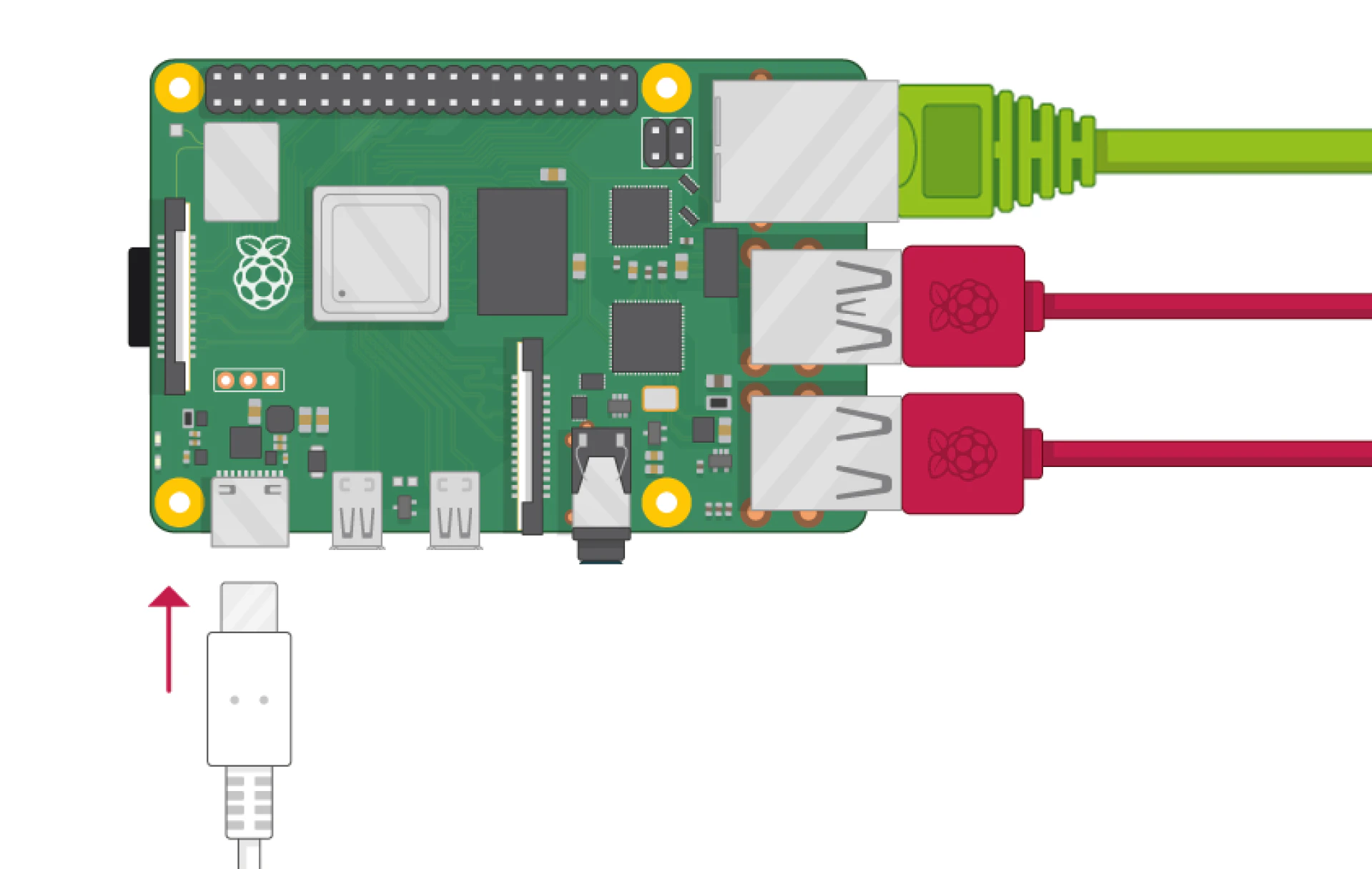
    <Frame caption="Connectez votre appareil à l'alimentation">
      <img src="https://mintcdn.com/deepwaterexplorationinc/PpwtoMTlxduUAF0D/dwe-os/guides/images/RPi-4-Power.jpg?fit=max&auto=format&n=PpwtoMTlxduUAF0D&q=85&s=8bb977039fd8c24ad045c16294f71fab" width="1919" height="1215" data-path="dwe-os/guides/images/RPi-4-Power.jpg" />
    </Frame>
  </Step>
</Steps>

<Card title="Configuration du streaming des caméras dweOS" icon="link" href="/fr/dwe-os/pages/streaming">
  Suivez ce guide pour diffuser 1 ou plusieurs caméras entre vos appareils.
</Card>