> ## Documentation Index
> Fetch the complete documentation index at: https://docs.dwe.ai/llms.txt
> Use this file to discover all available pages before exploring further.
# Diffusion/Enregistrement
> Contrôlez les états de diffusion et d'enregistrement.
## Boutons de diffusion
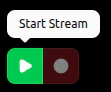
Lorsque la carte **ne diffuse pas**, vous pouvez démarrer le flux avec **Start Stream**.
**Start Recording** est
désactivé car il n'y a pas de flux.
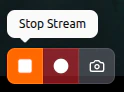
 Lorsque la carte **est** en cours de diffusion, vous avez accès à **Stop Stream** et **Start Recording**.
Si le flux est **MJPEG**, vous aurez accès à [**Snapshot**](/fr/discovery/video-card-buttons/snapshotting).
Lorsque la carte **est** en cours de diffusion, vous avez accès à **Stop Stream** et **Start Recording**.
Si le flux est **MJPEG**, vous aurez accès à [**Snapshot**](/fr/discovery/video-card-buttons/snapshotting).
 Il n'y aura **aucun** voyant d'activité lorsque la carte **ne diffuse pas**.
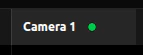
 Le voyant d'activité sera **fixe** lorsque la carte **est** en cours de diffusion.
 ***
## Boutons d'enregistrement
Lorsque la carte est en cours de diffusion **et** que la vidéo n'est pas déjà en cours d'enregistrement, vous pouvez **démarrer** un enregistrement en appuyant sur **Start Recording**.
***
## Boutons d'enregistrement
Lorsque la carte est en cours de diffusion **et** que la vidéo n'est pas déjà en cours d'enregistrement, vous pouvez **démarrer** un enregistrement en appuyant sur **Start Recording**.
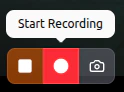 Pendant que la carte **enregistre**, vous pouvez terminer l'enregistrement avec **Stop Recording**.
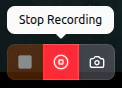 Le voyant d'activité **clignotera lentement** pendant que la carte enregistre activement.
> La ou les vidéos obtenues peuvent être trouvées via le chemin du fichier sous "Save Paths" dans la carte des [paramètres du chemin de capture](/fr/discovery/global-settings/capture-paths).
Le voyant d'activité **clignotera lentement** pendant que la carte enregistre activement.
> La ou les vidéos obtenues peuvent être trouvées via le chemin du fichier sous "Save Paths" dans la carte des [paramètres du chemin de capture](/fr/discovery/global-settings/capture-paths).