> ## Documentation Index
> Fetch the complete documentation index at: https://docs.dwe.ai/llms.txt
> Use this file to discover all available pages before exploring further.

# Diffusion/Enregistrement

> Contrôlez les états de diffusion et d'enregistrement.

Les boutons d'une carte vidéo changent en fonction de son état. Un flux doit être en cours d'exécution avant qu'un enregistrement puisse démarrer, c'est pourquoi les boutons apparaissent dans cet ordre : **d'abord la diffusion, puis l'enregistrement**.

## Diffusion

<Columns cols={2}>
  <Card title="Aucune diffusion">
    <img src="https://mintcdn.com/deepwaterexplorationinc/zBK2eDpY1M3BDlMI/discovery/video-card-buttons/images/startStreamButton.png?fit=max&auto=format&n=zBK2eDpY1M3BDlMI&q=85&s=ef7b5e73bf9fabb7f276f6fadc61272f" noZoom style={{ borderRadius: "8px" }} width="86" height="50" data-path="discovery/video-card-buttons/images/startStreamButton.png" />

    Appuyez sur <Icon icon="play" iconType="solid" color="green" /> **Start Stream** pour démarrer.
  </Card>

  <Card title="Diffusion en cours">
    <img src="https://mintcdn.com/deepwaterexplorationinc/zBK2eDpY1M3BDlMI/discovery/video-card-buttons/images/stopStreamButton.png?fit=max&auto=format&n=zBK2eDpY1M3BDlMI&q=85&s=8727c8ddbbe7fee0f065f1a97d8c0d9c" noZoom style={{ borderRadius: "8px" }} width="122" height="50" data-path="discovery/video-card-buttons/images/stopStreamButton.png" />

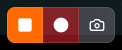
    <Icon icon="stop" iconType="solid" color="orange" /> **Stop Stream** met fin au flux, et <Icon icon="circle" iconType="solid" color="red" /> **Start Recording** devient disponible.

    Les flux **MJPEG** disposent également de [**Snapshot**](/fr/discovery/video-card-buttons/snapshotting).
  </Card>
</Columns>

## Enregistrement

<Columns cols={2}>
  <Card title="Démarrer l'enregistrement">
    <img src="https://mintcdn.com/deepwaterexplorationinc/zBK2eDpY1M3BDlMI/discovery/video-card-buttons/images/recordButton.png?fit=max&auto=format&n=zBK2eDpY1M3BDlMI&q=85&s=6f4910d3c7df18144606770378781506" noZoom style={{ borderRadius: "8px" }} width="122" height="50" data-path="discovery/video-card-buttons/images/recordButton.png" />

    Pendant que la carte diffuse et n'enregistre pas déjà, appuyez sur <Icon icon="circle" iconType="solid" color="red" /> **Start Recording**.
  </Card>

  <Card title="Arrêter l'enregistrement">
    <img src="https://mintcdn.com/deepwaterexplorationinc/zBK2eDpY1M3BDlMI/discovery/video-card-buttons/images/stopRecordButton.png?fit=max&auto=format&n=zBK2eDpY1M3BDlMI&q=85&s=e7d4664a697dda88007b1d57841a9815" noZoom style={{ borderRadius: "8px" }} width="122" height="50" data-path="discovery/video-card-buttons/images/stopRecordButton.png" />

    Pendant que la carte enregistre, terminez l'enregistrement avec <Icon icon="record-vinyl" iconType="regular" color="red" /> **Stop Recording**.
  </Card>
</Columns>

<Tip>
  La ou les vidéos obtenues peuvent être trouvées via le chemin du fichier sous "Save Paths" dans la carte des [paramètres du chemin de capture](/fr/discovery/global-settings/capture-paths).
</Tip>

## Voyant d'activité

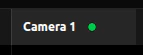
Le voyant sur l'onglet de la carte vous indique l'état en un coup d'œil.
<Columns cols={3}>
  <Card title="Inactif">
    <img src="https://mintcdn.com/deepwaterexplorationinc/PpwtoMTlxduUAF0D/discovery/video-card-buttons/images/noStreamLight.png?fit=max&auto=format&n=PpwtoMTlxduUAF0D&q=85&s=62253693a4dd6d36c2fab7a69b35c003" noZoom width="143" height="55" data-path="discovery/video-card-buttons/images/noStreamLight.png" />

    **Aucun voyant** — la carte ne diffuse pas.
  </Card>

  <Card title="Diffusion">
    <img src="https://mintcdn.com/deepwaterexplorationinc/PpwtoMTlxduUAF0D/discovery/video-card-buttons/images/activeStreamLight.png?fit=max&auto=format&n=PpwtoMTlxduUAF0D&q=85&s=a774521e18c5188c4fc686bb7180220e" noZoom width="143" height="55" data-path="discovery/video-card-buttons/images/activeStreamLight.png" />

    **Fixe** <Icon icon="circle" iconType="solid" color="green" size={8} /> — la carte est en cours de diffusion.
  </Card>

  <Card title="Enregistrement">
    <video controls={false} autoPlay loop muted playsInline style={{ height: "55px", width: "auto" }} src="https://mintcdn.com/deepwaterexplorationinc/e0wVLTi_h45Y5fkF/discovery/video-card-buttons/images/animations/activeRecordingLight.webm?fit=max&auto=format&n=e0wVLTi_h45Y5fkF&q=85&s=f13eeb5759ee4ef292d1b1e4f303e981" data-path="discovery/video-card-buttons/images/animations/activeRecordingLight.webm" />

    **Clignotement lent** <Icon icon="circle" iconType="solid" color="red" size={8} /> — la carte est en cours d'enregistrement.
  </Card>
</Columns>