> ## Documentation Index
> Fetch the complete documentation index at: https://docs.dwe.ai/llms.txt
> Use this file to discover all available pages before exploring further.
# Configuring Preferences
> This guide is to help you setup preferences in dweOS
## Accessing the Page
Navigate to `Options/Preferences`
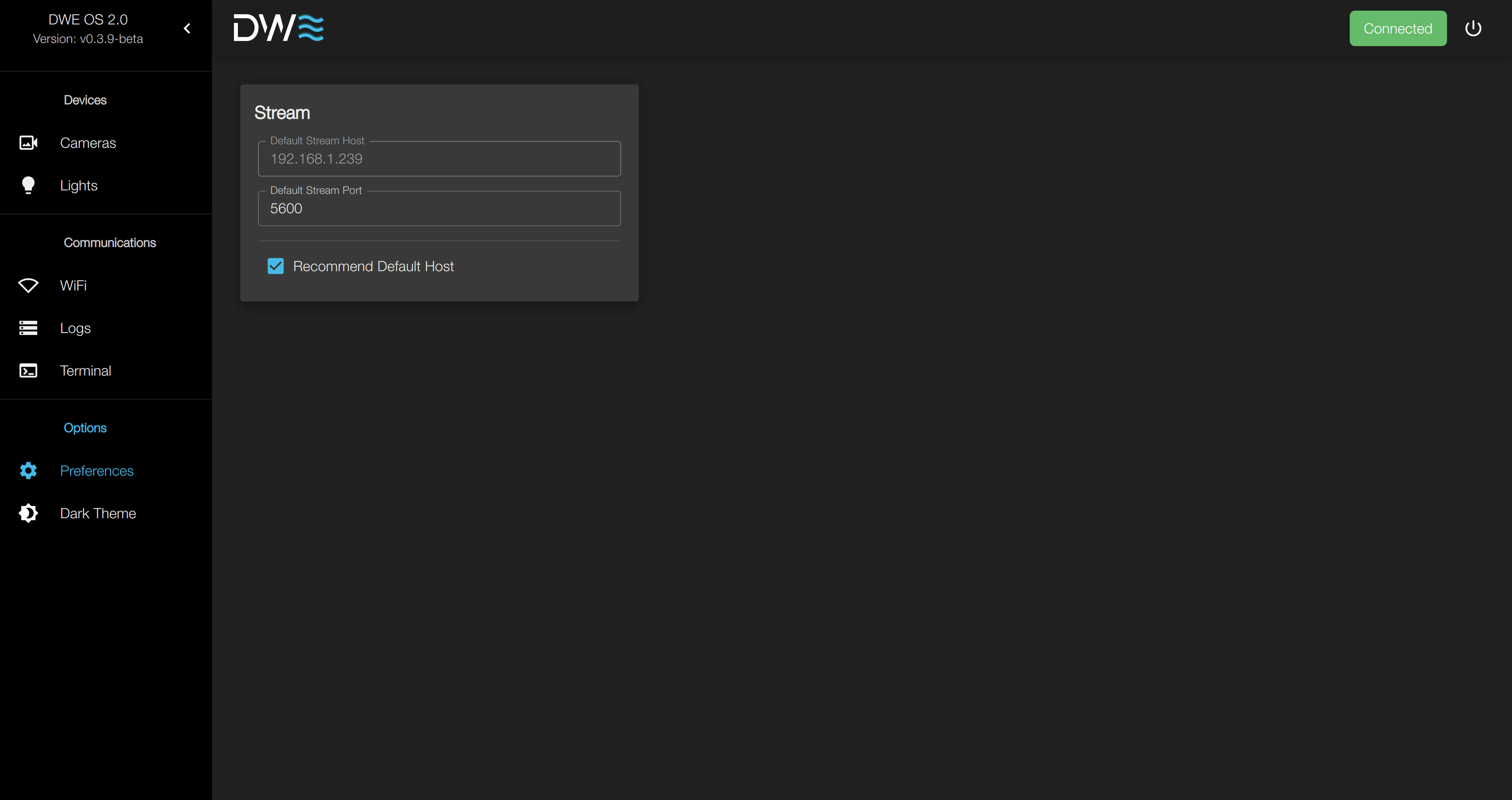 There are a few key settings that should be noted:
Describes the default host & port values for a new stream endpoint like the following:
There are a few key settings that should be noted:
Describes the default host & port values for a new stream endpoint like the following:
 Defines whether or not the default host will be automatically set to the host IP currently connected to dweOS.
This should be changed in systems often modifying stream endpoints that are extremely complex in IP configuration.
When disabled, the user is allowed to modify the default stream host. Otherwise, the text box is grayed out,
and will autofill the default host for any new stream.
Defines whether or not the default host will be automatically set to the host IP currently connected to dweOS.
This should be changed in systems often modifying stream endpoints that are extremely complex in IP configuration.
When disabled, the user is allowed to modify the default stream host. Otherwise, the text box is grayed out,
and will autofill the default host for any new stream.