> ## Documentation Index
> Fetch the complete documentation index at: https://docs.dwe.ai/llms.txt
> Use this file to discover all available pages before exploring further.
# Viewing Logs
> This guide is to help you navigate and understand the Logs page in dweOS
The logs page should only be used if an issue is detected with dweOS and
support is required. Please be prepared with a log if contacting support
regarding dweOS
## Accessing the page
The logs page is located at **Communications/Logs** in the navigation bar.
## The anatomy of a log
Logs are cleared upon system reboot and are not stored.
### Logs contain 6 key pieces of information:
1. The timestamp of the log
2. The log level
3. The name of the log's origin
4. The file origin
5. The function origin
6. The message
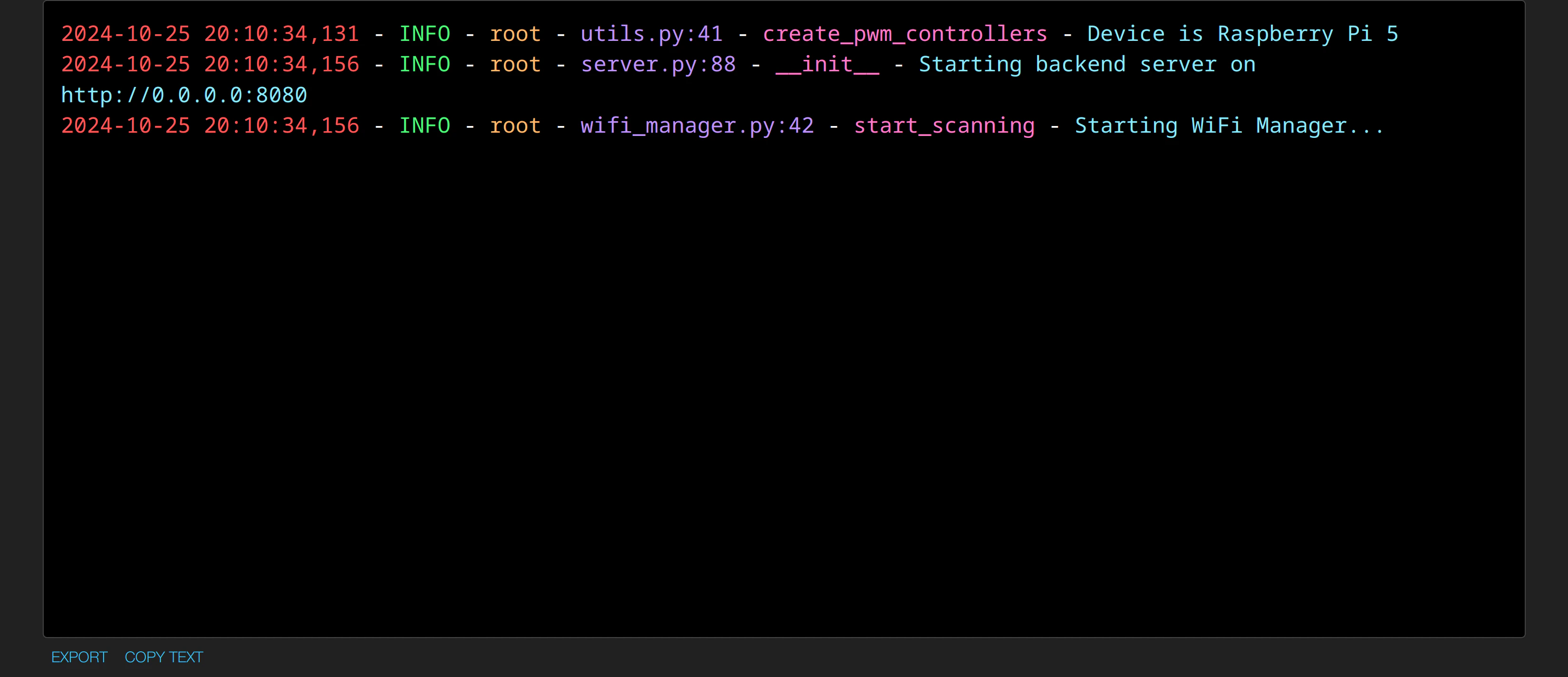
The following is an example of a log entry:
```
2024-10-25 20:10:34,131 - INFO - root - utils.py:41 - create_pwm_controllers - Device is Raspberry Pi 5
```
1. `2024-10-25 20:10:34,131` - specifies the timestamp of the log entry
The timestamp will not reflect the real-world time, unless synchronized to
an internet clock.
2. `INFO` - specifies the log level as INFO
3. `root` - specifies the origin as the root of the program
4. `utils.py:41` - indicates the log originates from the utils.py file at line 41
5. `create_pwm_controllers` - indicates the function it originated from is for creating the PWM controllers
6. `Device is Raspberry Pi 5` - the message shows that the type of device is what is being logged here
## Exporting a log
There are two ways to export a log:
1. Export to a file
2. Copy the text directly
 ## Exporting to a file
Select the export button on the bottom left.
## Exporting to a file
Select the export button on the bottom left.
 ## Copying the text
Select the copy button on the bottom left. This will copy the text to the clipboard.
## Copying the text
Select the copy button on the bottom left. This will copy the text to the clipboard.