> ## Documentation Index
> Fetch the complete documentation index at: https://docs.dwe.ai/llms.txt
> Use this file to discover all available pages before exploring further.

# Fit View

> Adjust how the video feed fits within the card.

<Frame caption="Double clicking the video feed or pressing the zoom out button on the top right resets it to the current fit view.">
  <video controls={false} autoPlay loop className="w-full aspect-video" src="https://mintcdn.com/deepwaterexplorationinc/e0wVLTi_h45Y5fkF/discovery/video-card-buttons/images/animations/fitViews.webm?fit=max&auto=format&n=e0wVLTi_h45Y5fkF&q=85&s=dc96cae53a7c505330cffa9c9bed1356" data-path="discovery/video-card-buttons/images/animations/fitViews.webm" />
</Frame>

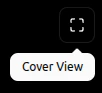
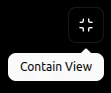
Switch between the 2 view options: **contain view** fits the native aspect ratio, and **cover view** zooms in to remove all blank space.

Clicking the <Icon icon="expand" /> button will swap to cover view.

<Frame>
  <img src="https://mintcdn.com/deepwaterexplorationinc/PpwtoMTlxduUAF0D/discovery/video-card-buttons/images/coverView.png?fit=max&auto=format&n=PpwtoMTlxduUAF0D&q=85&s=ad4055b633a55f5d768720455a46e522" width="102" height="93" data-path="discovery/video-card-buttons/images/coverView.png" />
</Frame>

Clicking the <Icon icon="compress" /> button will swap to contain view.

<Frame>
  <img src="https://mintcdn.com/deepwaterexplorationinc/PpwtoMTlxduUAF0D/discovery/video-card-buttons/images/containView.png?fit=max&auto=format&n=PpwtoMTlxduUAF0D&q=85&s=1eb9c3b5919f4d36e7ad9c8cf368c499" width="111" height="93" data-path="discovery/video-card-buttons/images/containView.png" />
</Frame>

You can also adjust the video feed directly:

* <Icon icon="magnifying-glass-plus" /> **Zoom:** scroll wheel
* <Icon icon="up-down-left-right" /> **Pan:** left/right mouse buttons, or click-drag the scroll wheel

When zoomed, the zoom scale appears in the top right.

<Frame>
  <img src="https://mintcdn.com/deepwaterexplorationinc/dDpT5_8Eip43UIec/discovery/video-card-buttons/images/zoomScale.png?fit=max&auto=format&n=dDpT5_8Eip43UIec&q=85&s=7bf38d5c8fc802e7eb68952cf9204610" width="108" height="49" data-path="discovery/video-card-buttons/images/zoomScale.png" />
</Frame>