> ## Documentation Index
> Fetch the complete documentation index at: https://docs.dwe.ai/llms.txt
> Use this file to discover all available pages before exploring further.
# Updates
> Automatic Updates and Versioning.
The updates box lets you manually scan for new Discovery releases.
Normally, Discovery checks for updates on its own and downloads them in the background.
Once a download finishes, you'll see the **Release Notes**, which cover the changes since the last release.
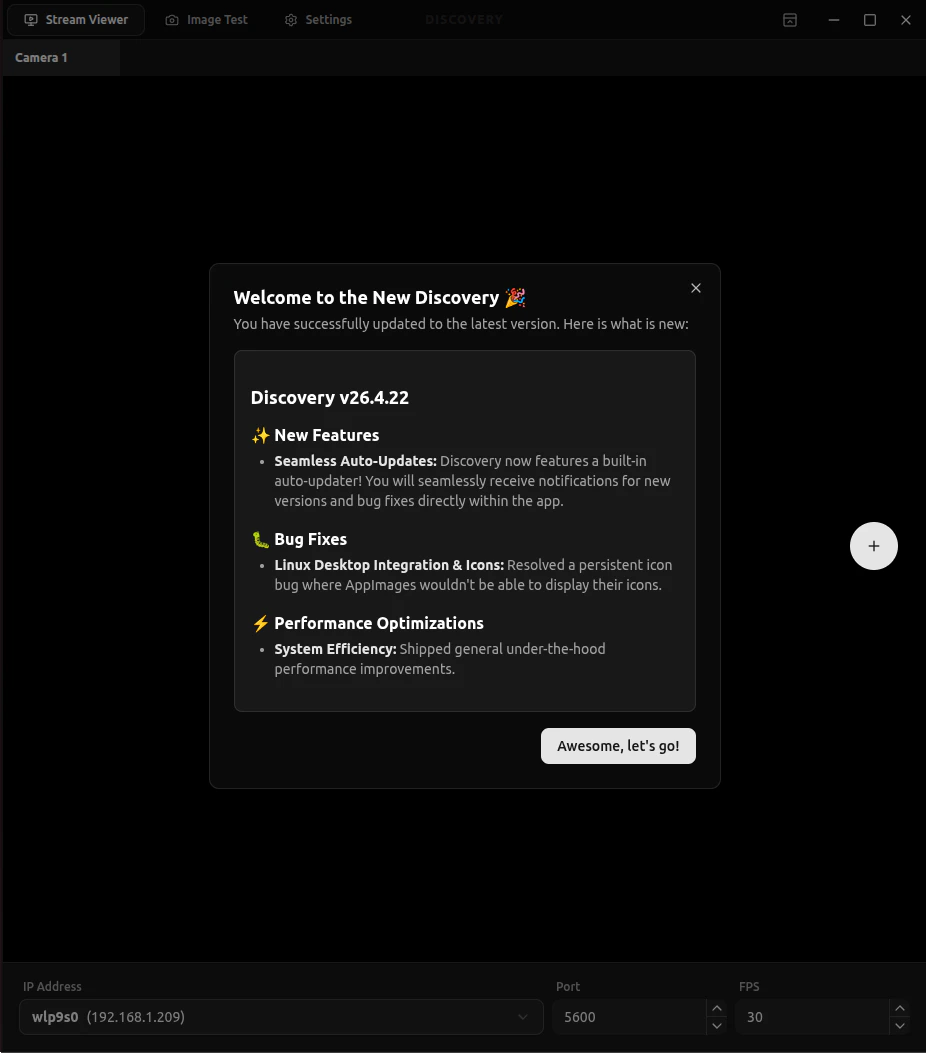 ## Scan Updates
If automatic updates aren't quick enough, you can scan for updates manually.
If updates are available, Discovery downloads them and shows you the changes.
Select the restart option to install the new version and reopen it (this may take a moment). Otherwise,
it installs on the next restart.
If none of these work, you can also install it from our [Downloads Page](https://dwe.ai/pages/downloads).
## Scan Updates
If automatic updates aren't quick enough, you can scan for updates manually.
If updates are available, Discovery downloads them and shows you the changes.
Select the restart option to install the new version and reopen it (this may take a moment). Otherwise,
it installs on the next restart.
If none of these work, you can also install it from our [Downloads Page](https://dwe.ai/pages/downloads).