> ## Documentation Index
> Fetch the complete documentation index at: https://docs.dwe.ai/llms.txt
> Use this file to discover all available pages before exploring further.
# Default Card Options
> Set the default parameters for new video cards.
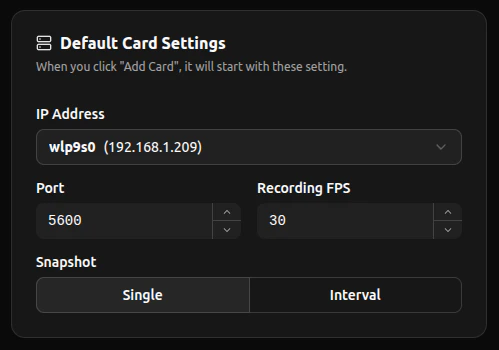
This setting is used to set the default **IP Address Selection**, **Port Number**, **FPS**, and **Snapshot Mode**. Each **new** card will automatically inherit from this default.
 ## Network and Recording
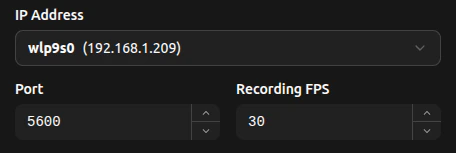 To control the network defaults of newly added cards, select from the detected IP addresses dropdown when you press the **IP Address** box.
The set port value will automatically increment to an unused port (counting up).
The ports are constrained between **1025-65535**
The recording FPS is recommended to be set to what the camera is set to, whether on dweOS or as default.
## Snapshotting
Here, you can set the snapshot mode for each newly added card. The icons differ by mode, as shown in the Video Card Function's [Snapshot](/discovery/video-card-buttons/snapshotting#single-snapshot) segment.
To control the network defaults of newly added cards, select from the detected IP addresses dropdown when you press the **IP Address** box.
The set port value will automatically increment to an unused port (counting up).
The ports are constrained between **1025-65535**
The recording FPS is recommended to be set to what the camera is set to, whether on dweOS or as default.
## Snapshotting
Here, you can set the snapshot mode for each newly added card. The icons differ by mode, as shown in the Video Card Function's [Snapshot](/discovery/video-card-buttons/snapshotting#single-snapshot) segment.
 **Single** Snapshots take one photo at the moment the button is pressed.
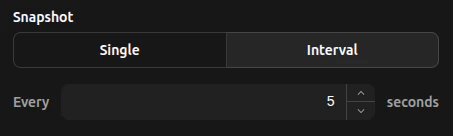 **Interval** Snapshots take photos at the set interval specified within the number input.