> ## Documentation Index
> Fetch the complete documentation index at: https://docs.dwe.ai/llms.txt
> Use this file to discover all available pages before exploring further.
# Capture Paths
> Configure where your recordings and snapshots are saved.
Here, you can specify the output folders that all videos or snapshots will save to. By default, the directory will be set to your system's **Videos** folder for recordings, and **Documents** for snapshots. Within both will be a new Discovery folder.
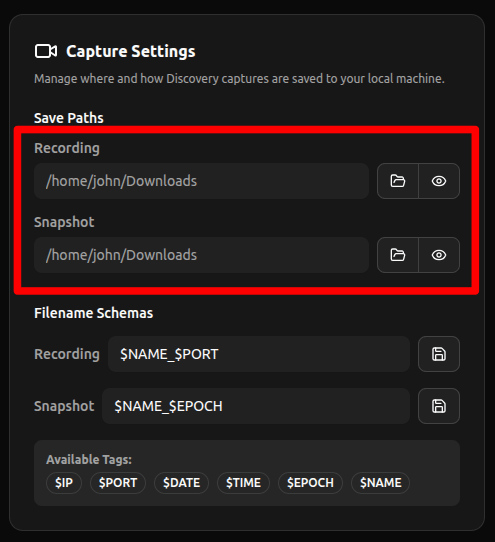 * **Open:** Opens a file explorer to select a
folder.
* **View:** Opens the file explorer to view the files within
the folder.
* **Open:** Opens a file explorer to select a
folder.
* **View:** Opens the file explorer to view the files within
the folder.