> ## Documentation Index
> Fetch the complete documentation index at: https://docs.dwe.ai/llms.txt
> Use this file to discover all available pages before exploring further.

# Streaming/Aufzeichnung

> Steuern Sie Streaming- und Aufzeichnungszustände.

Die Schaltflächen einer Videokarte ändern sich mit ihrem Zustand. Ein Stream muss laufen, bevor eine Aufzeichnung beginnen kann, daher erscheinen die Schaltflächen in dieser Reihenfolge: **erst streamen, dann aufzeichnen**.

## Streaming

<Columns cols={2}>
  <Card title="Kein Stream aktiv">
    <img src="https://mintcdn.com/deepwaterexplorationinc/zBK2eDpY1M3BDlMI/discovery/video-card-buttons/images/startStreamButton.png?fit=max&auto=format&n=zBK2eDpY1M3BDlMI&q=85&s=ef7b5e73bf9fabb7f276f6fadc61272f" noZoom style={{ borderRadius: "8px" }} width="86" height="50" data-path="discovery/video-card-buttons/images/startStreamButton.png" />

    Drücken Sie <Icon icon="play" iconType="solid" color="green" /> **Start Stream**, um zu beginnen.
  </Card>

  <Card title="Streaming aktiv">
    <img src="https://mintcdn.com/deepwaterexplorationinc/zBK2eDpY1M3BDlMI/discovery/video-card-buttons/images/stopStreamButton.png?fit=max&auto=format&n=zBK2eDpY1M3BDlMI&q=85&s=8727c8ddbbe7fee0f065f1a97d8c0d9c" noZoom style={{ borderRadius: "8px" }} width="122" height="50" data-path="discovery/video-card-buttons/images/stopStreamButton.png" />

    <Icon icon="stop" iconType="solid" color="orange" /> **Stop Stream** beendet den Feed, und <Icon icon="circle" iconType="solid" color="red" /> **Start Recording** wird verfügbar.

    Für **MJPEG**-Streams steht zusätzlich [**Snapshot**](/de/discovery/video-card-buttons/snapshotting) zur Verfügung.
  </Card>
</Columns>

## Aufzeichnung

<Columns cols={2}>
  <Card title="Aufzeichnung starten">
    <img src="https://mintcdn.com/deepwaterexplorationinc/zBK2eDpY1M3BDlMI/discovery/video-card-buttons/images/recordButton.png?fit=max&auto=format&n=zBK2eDpY1M3BDlMI&q=85&s=6f4910d3c7df18144606770378781506" noZoom style={{ borderRadius: "8px" }} width="122" height="50" data-path="discovery/video-card-buttons/images/recordButton.png" />

    Während die Karte streamt und noch nicht aufzeichnet, drücken Sie <Icon icon="circle" iconType="solid" color="red" /> **Start Recording**.
  </Card>

  <Card title="Aufzeichnung stoppen">
    <img src="https://mintcdn.com/deepwaterexplorationinc/zBK2eDpY1M3BDlMI/discovery/video-card-buttons/images/stopRecordButton.png?fit=max&auto=format&n=zBK2eDpY1M3BDlMI&q=85&s=e7d4664a697dda88007b1d57841a9815" noZoom style={{ borderRadius: "8px" }} width="122" height="50" data-path="discovery/video-card-buttons/images/stopRecordButton.png" />

    Während die Karte aufzeichnet, beenden Sie die Aufzeichnung mit <Icon icon="record-vinyl" iconType="regular" color="red" /> **Stop Recording**.
  </Card>
</Columns>

<Tip>
  Die resultierenden Videos finden Sie über den Dateipfad unter „Save Paths“ in der Karte [Einstellungen für Aufnahmepfade](/de/discovery/global-settings/capture-paths).
</Tip>

## Aktivitätsanzeige

Die Anzeige am Kartenreiter zeigt Ihnen auf einen Blick den Zustand.
<Columns cols={3}>
  <Card title="Inaktiv">
    <img src="https://mintcdn.com/deepwaterexplorationinc/PpwtoMTlxduUAF0D/discovery/video-card-buttons/images/noStreamLight.png?fit=max&auto=format&n=PpwtoMTlxduUAF0D&q=85&s=62253693a4dd6d36c2fab7a69b35c003" noZoom width="143" height="55" data-path="discovery/video-card-buttons/images/noStreamLight.png" />

    **Keine Anzeige** — die Karte streamt nicht.
  </Card>

  <Card title="Streaming">
    <img src="https://mintcdn.com/deepwaterexplorationinc/PpwtoMTlxduUAF0D/discovery/video-card-buttons/images/activeStreamLight.png?fit=max&auto=format&n=PpwtoMTlxduUAF0D&q=85&s=a774521e18c5188c4fc686bb7180220e" noZoom width="143" height="55" data-path="discovery/video-card-buttons/images/activeStreamLight.png" />

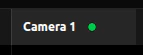
    **Dauerhaft** <Icon icon="circle" iconType="solid" color="green" size={8} /> — die Karte streamt.
  </Card>

  <Card title="Aufzeichnung">
    <video controls={false} autoPlay loop muted playsInline style={{ height: "55px", width: "auto" }} src="https://mintcdn.com/deepwaterexplorationinc/e0wVLTi_h45Y5fkF/discovery/video-card-buttons/images/animations/activeRecordingLight.webm?fit=max&auto=format&n=e0wVLTi_h45Y5fkF&q=85&s=f13eeb5759ee4ef292d1b1e4f303e981" data-path="discovery/video-card-buttons/images/animations/activeRecordingLight.webm" />

    **Langsam blinkend** <Icon icon="circle" iconType="solid" color="red" size={8} /> — die Karte zeichnet auf.
  </Card>
</Columns>